Add TopTechs as a preferred source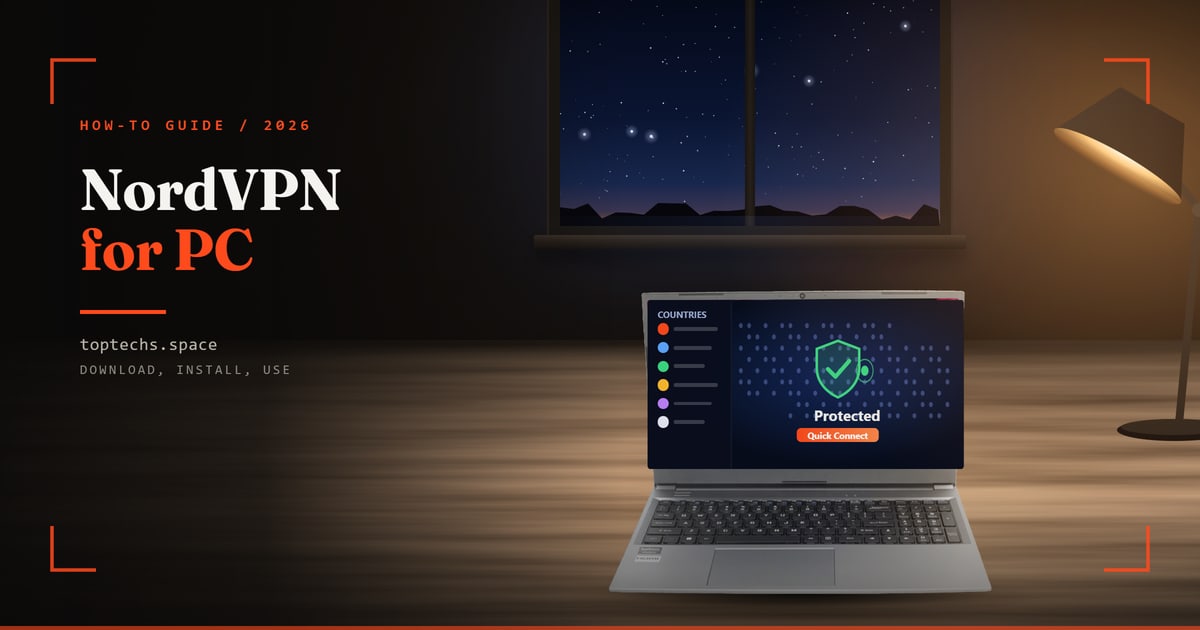
To get NordVPN for PC, download the free installer from NordVPN's Windows page, install it, log in with a Nord Account that has a paid plan, and click Secure my connection. The app runs on Windows 11 and on 64-bit Windows 10.
The download is free, but you pay for the service. On 21 October 2026, NordVPN's pricing page showed the Basic plan at $3.49 a month (about ₹331) on a 2-year term (2 years plus 3 months), paid upfront as $94.23 (about ₹8,920) for 27 months. It then renews at $139.08 a year (about ₹13,170).
Every plan covers 10 devices, has a 30-day money-back guarantee and reaches 7,100+ servers in 150 countries (NordVPN's figure).
A VPN (virtual private network) app encrypts your traffic and routes it through the provider's server, so websites see that server's IP address.
NordVPN for PC in six steps
- Check WindowsWindows 11, or 64-bit Windows 10 version 1607 or later. Free
- Buy a planBasic $3.49/mo on 2 years ($94.23 for 27 months, ~₹8,920), $4.89/mo on 1 year ($73.35 for 15 months) or $14.69 for 1 month. Renews at $139.08/year (~₹13,170). 10 devices, 30-day refund
- DownloadOnly from nordvpn.com/download/windows. Free
- Install and log inRun the installer, click Log In, then sign in to your Nord Account in the browser
- ConnectClick Secure my connection, or pick a country (7,100+ servers in 150 countries)
- Turn onInternet Kill Switch, Auto-connect and Real-time protection
Prices and plan details checked on 21 October 2026 on the official websites, as shown to visitors in India. Prices change, so check the live page before you pay. We may receive a commission if you buy through some links, at no extra cost to you.
What do you need to install NordVPN on a PC or laptop?
You need a PC or laptop with Windows 11, or 64-bit Windows 10 version 1607 or later, an internet connection, and a Nord Account with an active NordVPN plan. The app costs nothing to download, but it will not connect until the account has a paid subscription.
- Windows version. NordVPN's supported systems page lists 64-bit Windows 10 (version 1607 and later) and Windows 11. Laptops with ARM chips work too.
- Older Windows. Windows 7, 8.1 and 32-bit Windows 10 get a legacy app without updates.
- No other VPN running. Turn off any other VPN app first.
- S mode turned off. NordVPN cannot be installed in S mode, a setting on some budget laptops that allows only Microsoft Store apps. To see if S mode is on, open Settings, then System, then Activation. On Windows 10, open Update & Security, then Activation.
Microsoft stopped free security updates for Windows 10 on 14 October 2025. If you are buying a new machine, our list of the best laptops for students in India covers current Windows 11 models.
Is NordVPN free for PC, and what does it cost in India?
No. The NordVPN app is free to download, but you need a paid plan to connect. On 21 October 2026 Basic cost $3.49 a month on the 2-year plan. Every term covers 10 devices, and the 30-day money-back guarantee gives a full refund within 30 days of your first purchase.
| Basic plan term | Price per month | You pay upfront | In rupees (approx.) | Renews at |
|---|---|---|---|---|
| 1 month | $14.69 | $14.69 | ~₹1,391/mo | Billed every month |
| 1 year + 3 months | $4.89 | $73.35 for 15 months | ~₹6,950 (~₹463/mo) | $139.08/year (~₹13,170) |
| 2 years + 3 months | $3.49 | $94.23 for 27 months | ~₹8,920 (~₹331/mo) | $139.08/year (~₹13,170) |
Dollar prices are from NordVPN's pricing page as it appears in India. The rupee figures use the RBI reference rate of ₹94.7145 to the dollar at 1pm on 21 October 2026. They leave out GST, which the page says "may apply", and any foreign-currency fee your card adds.
Expect a higher price when the plan renews. After 27 months, Basic renews at $139.08 a year, about ₹1,098 a month, more than three times the intro rate of about ₹331.
NordVPN charges in US dollars except through some payment providers. Its payment page lists cards, PayPal, Google Pay and crypto, but not UPI.
NordVPN's 7-day free trial is limited to 15 countries and excludes India. To try NordVPN from India, buy a plan and use the 30-day money-back guarantee through live chat. Renewals are not refundable under that policy. Our NordVPN price in India guide compares Basic, Complete and Complete Max in rupees.
How do I download NordVPN for PC safely?
Download NordVPN only from its official Windows page and click Download App. The installer is free. Avoid sites that offer a "free premium" or "full version" NordVPN download. NordVPN does not run those sites, and a changed installer can carry malware.
- Open NordVPN's download page for Windows.
- Click Download App. The file saves to your Downloads folder.
- Check the file name. NordVPN's guide calls it NordVPNInstall.exe, but on 21 October 2026 the download link on NordVPN's page was named NordInstaller.exe.
How do I install NordVPN on Windows 11 and Windows 10?
Double-click the installer in your Downloads folder, click Yes when Windows asks for permission, click Next, choose whether to add the browser extensions, and click Install. When it finishes, click Launch NordVPN. The steps are the same on Windows 11 and Windows 10.
- Open your Downloads folder and double-click the NordVPN installer.
- If Windows asks whether the app can make changes, click Yes.
- In the installer window, click Next.
- Tick or untick the browser extensions for NordVPN and for NordPass, a password manager.
- Click Install, and when it finishes, click Launch NordVPN.
If the installer will not open, right-click the file and choose Run as Administrator. NordVPN's Windows guide adds that the app protects the whole PC.
How do I log in and connect to NordVPN on a laptop?
Open the app and click Log In. Your browser opens the Nord Account page, where you sign in with your email and password, Google or Apple ID. Let the browser open the NordVPN link, then click Secure my connection. The status changes from Not connected to Connected.
- Click Log In in the NordVPN app.
- Sign in on the Nord Account page that opens in your browser.
- When the browser asks to open NordVPN, click Open or Allow, then click Secure my connection.
- The app picks the fastest available server. To disconnect, click the same button and choose Disconnect.
How do I choose a country or server in NordVPN?
Click a country in the server list, click its dot on the map, or type its name in the search bar. A country with three dots next to it has servers in several cities, and you can pick one. Specialty servers, such as Double VPN and Obfuscated, have their own section.
NordVPN says it has 7,100+ servers in 150 countries. For speed, pick a nearby country, because ping, the delay before data arrives, rises with distance.
Obfuscated servers hide your VPN use from networks that block VPNs. A Dedicated IP, an address only you use, costs extra on Basic and Complete. NordVPN's server list shows India as a virtual location: an Indian IP address from a server outside India.
Which NordVPN settings should you turn on?
Turn on the Internet Kill Switch so your real IP address is not exposed if the VPN drops, Auto-connect so the VPN starts with Windows, and Real-time protection to block unsafe sites. Leave the protocol on NordLynx or Auto unless something goes wrong.
Open Settings from the profile icon at the top right. If your app shows a gear icon at the bottom left, use that.
Kill Switch
Go to Settings, then Kill Switch, and turn on the Internet Kill Switch. It cuts off your internet whenever you are disconnected from NordVPN's servers, so websites cannot see your real IP address, the number that identifies your connection. The App Kill Switch closes chosen programs, such as Steam, if the VPN drops.
Real-time protection and Next-gen antivirus
Click the shield icon on the left and click Turn on. Real-time protection blocks ads, trackers and unsafe websites through DNS filtering, and it works only while the VPN is connected. Older app versions used the names Threat Protection Lite, Threat Protection and Threat Protection Pro.
Next-gen antivirus also scans downloads for malware and works without the VPN. The pricing page includes it only on Complete and Complete Max.
Auto-connect and launch at startup
In Settings, open Connection and security and use the drop-down next to Auto-connect. Choose On all networks, or limit it to On Wi-Fi networks, On Ethernet or On mobile networks. Also turn on Launch at Windows startup. To skip auto-connect at home, add your Wi-Fi to the Trusted networks list.
VPN protocol (NordLynx)
A protocol is the method the app uses to build the encrypted connection. In Settings, open Connection and security and use the drop-down next to VPN protocol. NordLynx, built on WireGuard, is the default and NordVPN's pick for speed and gaming. NordWhisper is for networks that block VPNs.
Split tunneling
Split tunneling lets chosen apps skip the VPN and use your normal connection. Go to Settings, then Split tunneling, turn it on and click Add apps. The list shows only open apps, so start the app first or click Browse apps.
NordVPN's guides warn that the Internet Kill Switch overrides split tunneling, so excluded apps lose internet access when both are on.
Which NordVPN setting should you use for public Wi-Fi, banking, travel, gaming and work?
Use Auto-connect and the Kill Switch on public Wi-Fi, Real-time protection or a dedicated IP for banking, the India location or obfuscated servers when you travel, NordLynx and a nearby country for games, and split tunneling for work apps that misbehave on a VPN.
| Situation | Turn on | What NordVPN says it does | Watch out for |
|---|---|---|---|
| Public Wi-Fi at a café, airport or hotel | Auto-connect set to On Wi-Fi networks, plus the Internet Kill Switch | Auto-connect connects as soon as you join a network. The Kill Switch cuts your internet if the VPN drops | Hotel and airport login pages will not load with both on. Turn them off to log in, then back on |
| Net banking and online payments | Real-time protection, or Next-gen antivirus on Complete (from $3.89/mo). A dedicated IP if a site keeps asking for CAPTCHAs | Real-time protection blocks unsafe domains. A dedicated IP helps you "access banking and websites without constant need to prove you're human" | A dedicated IP is extra on Basic and Complete. Split tunneling can keep a banking app on your normal connection |
| Travel outside India | The India location for an Indian IP address. Obfuscated servers or NordWhisper on strict Wi-Fi | Connect to a server "back home" to use your paid streaming services while travelling | NordVPN's India location is virtual. Check the rules of the country you visit |
| Online gaming | NordLynx protocol and a nearby country | NordLynx is the answer "for gaming or other online speed-dependent activities" | A far-away server raises ping, the delay you feel in games |
| Work apps and Wi-Fi printers | Split tunneling for the app. Turn off Stay invisible on LAN for a printer | Split tunneling helps "when dealing with a trusted application" | Do not run a company VPN alongside NordVPN |
We have not tested these settings. If your app looks different, follow NordVPN's support guides.
How do you use NordVPN on a Mac?
On a Mac with macOS 14 or later, download the app from NordVPN's macOS page, open NordVPN.pkg, click Continue and then Install, and confirm with your password or Touch ID. Open NordVPN from Spotlight, log in through the browser, and click Secure my connection.
Use NordVPN's Mac download page. Next-gen antivirus works only in this version, not the Mac App Store one.
How do you use the NordVPN Chrome extension?
Add NordVPN from the Chrome Web Store, open it from the jigsaw (Extensions) icon, log in with your Nord Account and click Secure my connection. The extension is a proxy, so it protects only what you do in Chrome, not other apps on the PC.
- On NordVPN's Chrome extension page or in the Chrome Web Store, click Add to Chrome, then Add extension.
- Click the jigsaw icon at the top right of Chrome, then the NordVPN icon.
- Log in, then click Secure my connection or choose a country.
The extension needs no administrator rights and also works in Edge and Firefox. NordVPN says not to run the app and the extension together.
Is it legal to use a VPN in India?
CERT-In's rules from April 2022 apply to companies that sell VPN services, and CERT-In's own FAQ says individual citizens are not covered. This is a summary of public documents, not legal advice. A VPN also does not make an unlawful act lawful.
CERT-In, India's national cyber security agency, issued its directions on 28 April 2022, and they took effect 60 days later. VPN service providers must record each customer's validated name, address and phone number, the period of use, the IP addresses given to them and their purpose for using the service.
Providers must keep those records for five years or longer. In its May 2022 FAQ, CERT-In added that VPNs a business runs for its own staff are not covered. The rule targets providers of "Internet proxy like services" to the general public.
NordVPN shut down its servers in India on 26 June 2022, according to its blog. Its support centre says it added one virtual location with an Indian IP address on 2 January 2024.
How do I uninstall NordVPN from a PC?
On Windows 11, go to Start, Settings, Apps, Installed apps, click More (the three dots) next to NordVPN and choose Uninstall. On Windows 10, go to Settings, Apps, Apps & features, select NordVPN and click Uninstall. Restart the PC afterwards.
NordVPN's uninstall page points to Microsoft's guide, which also covers the Control Panel route.
Uninstalling the app does not stop billing. To stop the plan from renewing, log in to your Nord Account, open Billing and click Cancel next to auto-renewal. Within 30 days of your first purchase, you can also ask for a refund through NordVPN's live chat.
NordVPN not working on your PC? Fixes from NordVPN's guides
NordVPN's Windows guides start with the same fixes for most problems. Update the app, add NordVPN to your antivirus exclusions list, set the VPN protocol to Auto (Recommended), and reset the network from the app's Run diagnostics tool.
It will not install
- Leave S mode. Under Activation, find the Switch to Windows Home or Pro section, click Go to the Store, then click Get. This cannot be undone.
- Right-click the installer and choose Run as administrator.
- Install pending Windows updates. Then search for Command Prompt, choose Run as administrator, type sfc /scannow and press Enter.
It will not connect, or it is stuck on Connecting
These steps follow NordVPN's connection guide for Windows.
- Connect to a few countries by hand instead of using Secure my connection.
- Update the app from the banner that appears when a new version is out.
- In Settings, open Connection and security and set VPN protocol to Auto (Recommended).
- Click the question mark at the bottom left, then Run diagnostics, then Reset network, and restart. This also clears saved Wi-Fi passwords.
- Try an obfuscated server, or your phone's hotspot.
It is slow
Connect to a country close to you instead of using Secure my connection. Then, in Settings under Connection and security, try each VPN protocol and set Post-Quantum encryption to Off. Pausing Real-time protection can also help. Check your speed on speedtest.net after each change.
Another VPN or your antivirus gets in the way
Turn off any other VPN app, including a company VPN, before you connect, and add NordVPN to your antivirus exclusions list. NordVPN's guide says a separate OpenVPN app cannot connect while the NordVPN app is installed.
The app crashes, or websites will not open
If the app will not open, search Windows for Diagnostics, open NordVPN Diagnostics and click Reset app. If one website fails, pause the VPN to test it, turn off Custom DNS, and try another server.
Take a screenshot of any error message before you contact NordVPN's live chat. If Windows itself keeps crashing, our guide on how to reset a laptop covers a clean start.
What to remember
- Download NordVPN for PC only from nordvpn.com, on Windows 11 or 64-bit Windows 10.
- Basic cost $3.49 a month (about ₹331) on 21 October 2026, paid as $94.23 for 27 months, then $139.08 a year. It covers 10 devices and has a 30-day money-back guarantee.
- Turn on the Internet Kill Switch, Auto-connect and Real-time protection after you log in.
- Uninstalling does not cancel the plan, so turn off auto-renewal in your Nord Account.