Add TopTechs as a preferred source
The best laptop for coding in India is the Lenovo IdeaPad Slim 3 with a Core i5-13420H, 24GB of RAM and a 1TB SSD at around ₹92,950. Its 8-core chip builds code fast, and its 15.3-inch 1920x1200 IPS screen shows more lines of code.
Its 24GB (the maximum) meets Google's RAM figure for Android Studio with the emulator, and runs Docker alongside.
On a smaller budget, a laptop for programming needs 16GB of RAM, a 512GB SSD and a processor with at least 6 cores. The Acer Aspire Lite at around ₹59,990 has all three. A graphics card matters only for machine learning, 3D games, or the Android emulator on Windows, unless you test on a phone.
Quick answer
- Best overallLenovo IdeaPad Slim 3, Core i5-13420H, 24GB + 1TB, around ₹92,950
- Best under ₹60,000Acer Aspire Lite, Ryzen 5 5625U, 16GB + 512GB, around ₹59,990
- Best for students on a budgetAcer Aspire 3, Core i3-1315U, 16GB + 512GB, new listing, no ratings yet, around ₹49,990
- Best for web and app developmentLenovo Yoga Slim 7, Core Ultra 7 155H, 32GB + 1TB, OLED, around ₹1,49,900
- Best for data science and MLHP Victus 15, Ryzen 7 7445HS, RTX 4050 6GB, 16GB + 512GB, around ₹1,12,990
- Best keyboard (ThinkPad)Lenovo ThinkPad E14 Gen 7, Ryzen 5 220, 16GB + 512GB, spill-resistant keyboard, up to 64GB RAM, around ₹86,990
- Best MacBook, and for iPhone appsApple MacBook Neo, A18 Pro, 8GB + 256GB, around ₹71,890
Prices, ratings and review counts checked on 24 October 2026 on Amazon.in. Prices change often, so tap any name for the live price.
Best laptops for coding: quick comparison
Sorted by price. RAM shows what comes installed and how far the maker says it can go.
| Laptop | Price | Processor | RAM | Storage | Graphics | Screen | Rating (reviews) |
|---|---|---|---|---|---|---|---|
| ~₹49,990 | Core i3-1315U, 6 cores | 16GB, to 32GB | 512GB SSD | Intel UHD (built-in) | 15.6" Full HD IPS | No ratings yet | |
| ~₹59,990 | Ryzen 5 5625U, 6 cores | 16GB, to 32GB | 512GB SSD | AMD Radeon (built-in) | 15.6" Full HD TN | 4.0 (955) | |
| ~₹71,890 | Apple A18 Pro, 6 cores | 8GB, fixed | 256GB SSD | 5-core GPU (built-in) | 13" 2408x1506 IPS, 500 nits | 4.7 (390) | |
| ~₹86,990 | Ryzen 5 220, 6 cores | 16GB, to 64GB | 512GB SSD | Radeon 740M (built-in) | 14" 1920x1200 IPS | 5.0 (2, new listing) | |
| ~₹92,950 | Core i5-13420H, 8 cores | 24GB, the maximum | 1TB SSD | Intel UHD (built-in) | 15.3" 1920x1200 IPS | 4.2 (110) | |
| ~₹1,12,990 | Ryzen 7 7445HS, 6 cores | 16GB, upgradeable (maximum not listed) | 512GB SSD | NVIDIA RTX 4050 6GB | 15.6" Full HD IPS, 144Hz | 4.2 (156) | |
| ~₹1,49,900 | Core Ultra 7 155H, 16 cores | 32GB, fixed | 1TB SSD | Intel Arc (built-in) | 14" 1920x1200 OLED | 4.2 (15) |
What does a laptop for programming need?
Get 16GB of RAM, a 512GB SSD, a processor with 6 or more cores and a screen of 1920x1080 or sharper. That covers college work, DSA, web projects and Android Studio. Add a graphics card only for machine learning, 3D games, or the Android emulator on Windows, unless you test on a phone.
Coding laptop requirements: web, Android, iPhone, ML and games
Competitive programming needs almost nothing, web development needs about 8GB for Docker, and Android development with the emulator needs 16GB. iPhone apps need a Mac. Machine learning with CUDA needs an NVIDIA graphics card.
| Kind of coding | RAM: minimum / comfortable | Processor | Storage | Graphics | Source |
|---|---|---|---|---|---|
| Competitive programming and DSA | 1GB / 8GB* | 1.6GHz or faster | Under 500MB / 256GB SSD* | Not needed | VS Code |
| Web development (VS Code, Docker) | 8GB / 16GB* | 64-bit with SLAT, virtualization on in BIOS | Under 500MB for VS Code / 512GB SSD* | Not needed | Docker |
| Android apps (Android Studio with emulator) | 16GB / 32GB | Intel 8th Gen Core i5 or AMD Ryzen / Intel H-series or Ryzen 5 to 9. Google does not recommend Intel U-series or N-series | 16GB free / SSD with 32GB+ free | 4GB graphics card on Windows / 8GB. Built-in graphics on a Mac | |
| iPhone apps (Xcode) | Not published / 16GB* | A Mac on macOS Tahoe 26.6 or later | Not published / 512GB SSD* | Built into the Mac | Apple |
| Data science and machine learning | Not published / about 2GB per 1GB of GPU memory | 64-bit Intel or AMD, or Apple silicon | 5GB for Anaconda / 512GB SSD* | Not needed for pandas and scikit-learn / NVIDIA GPU, compute capability 7.0 or higher | NVIDIA, Anaconda |
| Game development (Unity) | 8GB / 16GB* | 64-bit with SSE2, or Apple M1 and above | A fast (high IOPS) drive / 512GB SSD* | DirectX 10 to 12 or Vulkan / a graphics card for 3D* | Unity |
*Our suggestion. Every other figure is the maker's own. Where a maker publishes a "recommended" figure, we used it as the comfortable level, as with Google's 32GB for Android Studio.
Google lists a 4GB graphics card for the Android emulator on Windows, but it also supports testing on a real Android phone over USB. And Docker says Windows Home runs only Linux containers, which is what most web projects use.
Which laptop covers which kind of coding?
The HP Victus covers five of the six kinds of coding in the table, and the MacBook Neo is the only pick for iPhone apps. Since most coders never use a graphics card, the lighter IdeaPad Slim 3 remains our top pick.
| Laptop | DSA | Web | Android* | iPhone | Data science and ML | Games (Unity) |
|---|---|---|---|---|---|---|
| Acer Aspire 3 | Comfortable | Comfortable | Not recommended (Intel U-series) | No | Yes, no CUDA | Yes |
| Acer Aspire Lite | Comfortable | Comfortable | Yes, 16GB | No | Yes, no CUDA | Yes |
| Apple MacBook Neo | Comfortable | Yes, 8GB | Chip not listed | Yes | Yes, no CUDA | Chip not listed |
| ThinkPad E14 Gen 7 | Comfortable | Comfortable | Yes, 16GB, room for 64GB | No | Yes, no CUDA | Yes |
| Lenovo IdeaPad Slim 3 | Comfortable | Comfortable | Yes, 24GB | No | Yes, no CUDA | Yes |
| HP Victus 15 | Comfortable | Comfortable | Yes, and meets the graphics card minimum | No | Comfortable, CUDA | Comfortable, 3D |
| Lenovo Yoga Slim 7 | Comfortable | Comfortable | 32GB, Google's recommended RAM | No | Yes, no CUDA | Yes |
"Yes" means the laptop meets the maker's minimum, and "Comfortable" means it also meets the comfortable figure in the requirements table above. *We judged Android on RAM and processor. Only the HP Victus meets Google's 4GB graphics card minimum for the emulator on Windows, so on the others, test apps on your phone.
Every Windows pick meets Unity's graphics minimum, because Microsoft requires DirectX 12 graphics for Windows 11. For Macs, Google and Unity list the M1 and later M-series chips. Neither lists the A18 Pro.
Best overall laptop for coding: Lenovo IdeaPad Slim 3, Core i5-13420H, 24GB
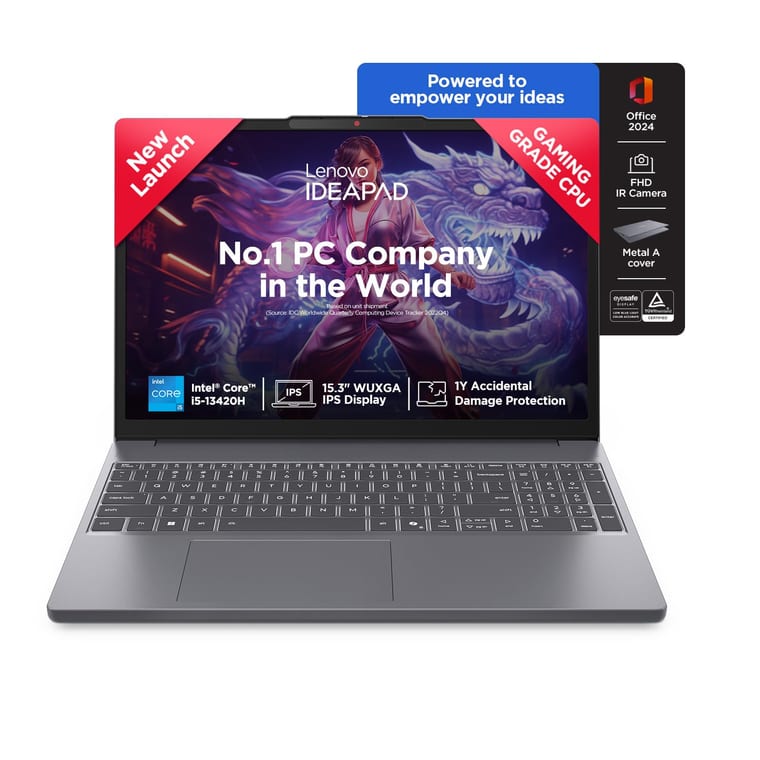
Lenovo IdeaPad Slim 3 (Core i5-13420H, 24GB, 1TB)
8-core Core i5-13420H with 24GB RAM and a 1TB SSD, enough for Docker plus an emulator.
~₹92,950Amazon.in
Check price →Around ₹92,950, rated 4.2 by 110 buyers.
The Core i5-13420H is an H-series chip with 8 cores and 12 threads, the type Google recommends for Android Studio. This version pairs it with 24GB of DDR5 RAM and a 1TB SSD, enough RAM for an editor, a browser, Docker and an Android emulator at once.
Google lists a 4GB graphics card for the emulator on Windows, which this laptop lacks, so test apps on your phone.
The listing shows 8GB soldered to the board plus a 16GB stick, and Lenovo's spec sheet gives a 24GB maximum, so you cannot add more RAM. A second M.2 slot takes another SSD later. The 15.3-inch 1920x1200 IPS screen is taller than a Full HD panel, so you see more lines of code.
You also get a backlit keyboard, a 1080p webcam with a privacy shutter and Office Home 2024. Ports include two USB-A, a USB-C with display output, HDMI and an SD card reader. The listing adds onsite warranty service and 1 year of accidental damage protection (ADP).
Lenovo lists up to 14.5 hours of video for the 50Wh battery model. This laptop weighs the same 1.59kg, so it is probably that model.
- Buy it if you build web or Android apps and want one laptop for college, internships and your first job.
- Worth knowing: 24GB is the ceiling. If you know you will need 32GB or more, choose the Yoga Slim 7 or the ThinkPad E14 below.
Best laptop for coding under ₹60,000: Acer Aspire Lite, Ryzen 5 5625U
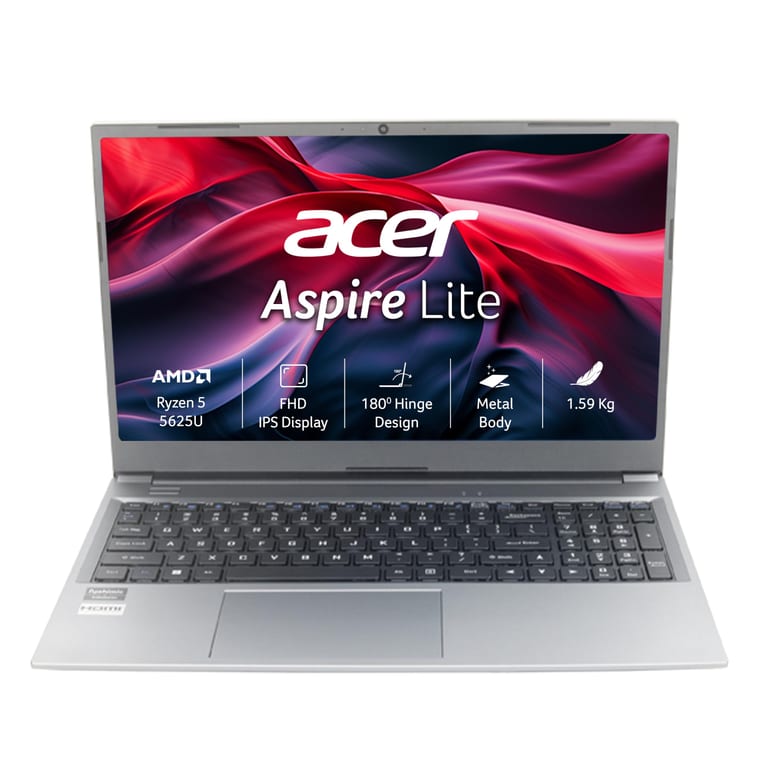
Acer Aspire Lite (Ryzen 5 5625U, 16GB, 512GB)
16GB RAM that goes up to 32GB, backed by 955 ratings on Amazon.in.
~₹59,990Amazon.in
Check price →Around ₹59,990, rated 4.0 by 955 buyers, the most reviewed laptop here.
The Ryzen 5 5625U has 6 cores, enough for DSA practice, Python, Java and web projects. It comes with 16GB of DDR4 RAM, which Acer says you can raise to 32GB, and a 512GB SSD that you can swap for a 1TB drive.
Acer's listing calls the 15.6-inch Full HD screen a TN panel. TN screens look fine from the front, but colours fade from the side.
It has a metal body, a number pad, Wi-Fi 6 and a USB-C port, and weighs 1.59kg. Acer claims up to 7 hours of battery life and lists a 1-year international travellers warranty.
The Ryzen 7 7730U version costs the same and has 8 cores, which helps with large builds, but buyers rate it 3.9 from 139 ratings. Want Word and Excel? The same Ryzen 5 laptop with Office 2024 also costs about ₹59,990.
- Buy it if your budget stops at ₹60,000 and you want 16GB now with room for 32GB later.
- Worth knowing: for daily Android work, test apps on your phone. Google lists a graphics card for the emulator on Windows.
Our best laptop under ₹60,000 guide compares more options.
Best laptop for coding students on a budget: Acer Aspire 3, Core i3-1315U
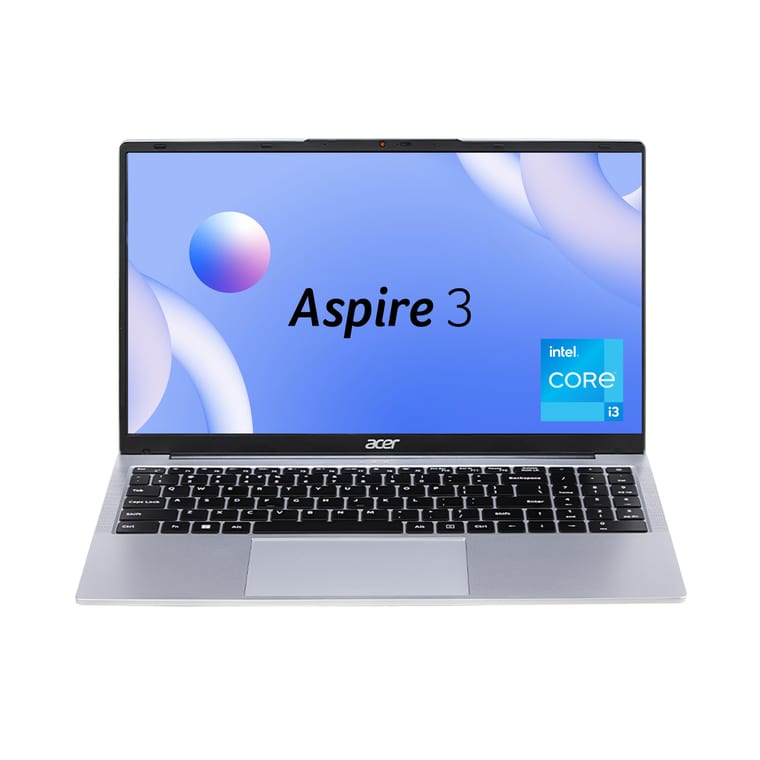
Acer Aspire 3 (Core i3-1315U, 16GB, 512GB)
16GB RAM and a Full HD IPS screen for about ₹50,000. New listing, no ratings yet.
~₹49,990Amazon.in
Check price →Around ₹49,990. This 2026 model is a new listing on Amazon.in with no ratings yet.
Most laptops near ₹50,000 come with 8GB of RAM. This Acer has 16GB of DDR4, which Acer says goes up to 32GB, a 512GB SSD and a 15.6-inch Full HD IPS screen. IPS keeps colours steady from any angle.
Intel lists the Core i3-1315U with 6 cores (2 performance and 4 efficient) and 8 threads, up to 4.5GHz. That handles C, C++, Java, Python and web basics in the first years of a CS or IT course. The keyboard is backlit, and Acer claims 7 hours from the 54Wh battery.
It weighs 1.7kg and has a USB-C port, three USB-A ports and HDMI.
- Buy it if your budget is ₹50,000 and you mainly write code for classes, DSA practice and web projects.
- Skip it if you plan to build Android apps. Google says Intel U-series chips like this i3 are not recommended for Android Studio.
- Worth knowing: this listing has no Office, and a third-party seller lists it, so check the seller's rating before you pay.
See also our best laptops for students guide.
Best for web and app development: Lenovo Yoga Slim 7, 32GB
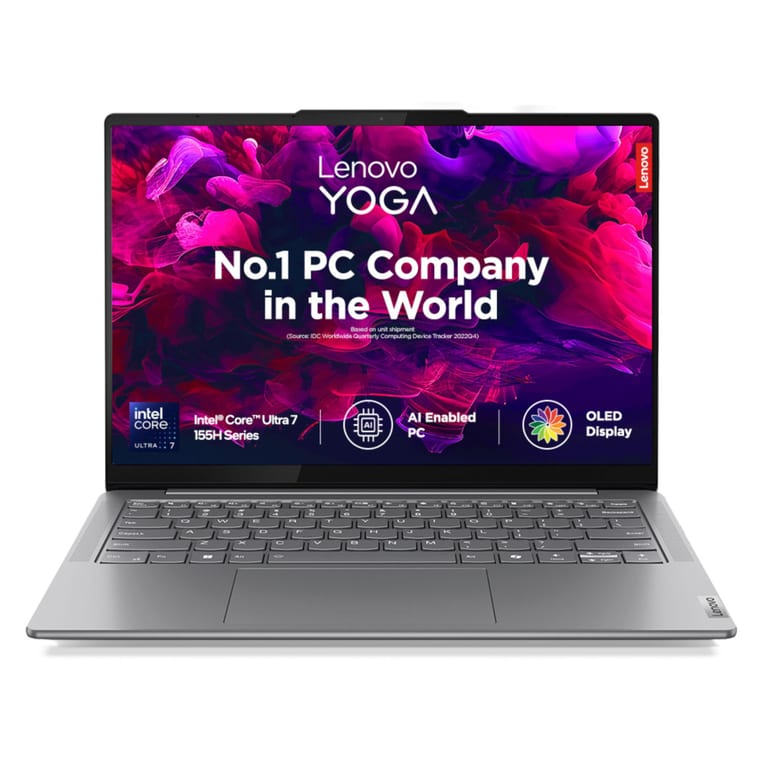
Lenovo Yoga Slim 7 (Core Ultra 7 155H, 32GB, 1TB)
32GB RAM, a 16-core Core Ultra 7 and a 1TB SSD for heavy app work.
~₹1,49,900Amazon.in
Check price →Around ₹1,49,900, rated 4.2 by 15 buyers. Amazon showed only 2 left in stock when we checked.
This laptop suits software development work that runs a lot at once: an IDE, Docker containers, a database, a browser and an Android emulator. It has 32GB of RAM, the amount Google recommends for Android Studio with the emulator, and a 1TB SSD.
Google lists a 4GB graphics card for the emulator on Windows, which this laptop lacks, so test apps on your phone.
The Core Ultra 7 155H has 16 cores and 22 threads, the most here, so big builds finish sooner. The 14-inch 1920x1200 OLED screen reaches 400 nits. Lenovo lists two Thunderbolt 4 ports for docks and monitors, a 65Wh battery rated at 10.3 hours in the MobileMark 25 test, and a weight of 1.39kg.
The listing includes Office Home 2024, onsite warranty service and 1 year of accidental damage protection.
- Buy it if you are a working developer whose day includes containers, emulators and many browser tabs.
- Worth knowing: the 32GB is soldered and cannot be upgraded, according to Lenovo. A third-party seller lists it, so check the seller before you order.
Best laptop for data science and machine learning: HP Victus 15, RTX 4050
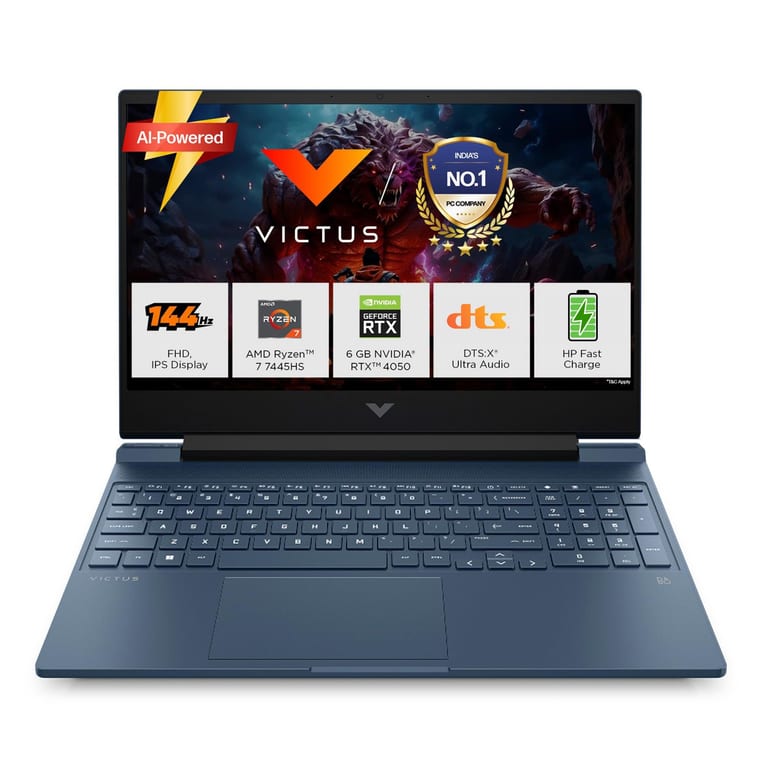
HP Victus 15 (Ryzen 7 7445HS, RTX 4050 6GB, 16GB, 512GB)
The only pick with an NVIDIA graphics card (RTX 4050 6GB) for CUDA.
~₹1,12,990Amazon.in
Check price →Around ₹1,12,990, rated 4.2 by 156 buyers.
Many machine learning tools speed up training with NVIDIA's CUDA platform, which needs an NVIDIA graphics card. Only this HP has one, an RTX 4050 with 6GB of video memory. NVIDIA rates this card at compute capability 8.9, above the 7.0 that NVIDIA's RAPIDS data science tools ask for.
The Ryzen 7 7445HS has 6 cores and 12 threads, with 16GB of DDR5 RAM on one stick, which HP lists as upgradeable, and a 512GB SSD. NVIDIA suggests about 2GB of system memory per 1GB of GPU memory. For 6GB of video memory that is 12GB, so 16GB is enough.
It comes with Office Home 2024, 1 year of Microsoft 365 Basic and a 1-year HP warranty. Ports include HDMI 2.1, Ethernet (RJ-45) and a USB-C port with DisplayPort output.
The 15.6-inch Full HD IPS screen runs at 144Hz, which also suits gaming. Our best gaming laptop under ₹1 lakh guide covers more laptops with graphics cards.
- Buy it if you study AI or ML, train neural networks, or want CUDA on your own laptop.
- Worth knowing: it weighs 2.29kg. NVIDIA supports RAPIDS on Windows 11 only through WSL2, so expect some setup.
Best ThinkPad for coding: Lenovo ThinkPad E14 Gen 7, Ryzen 5 220
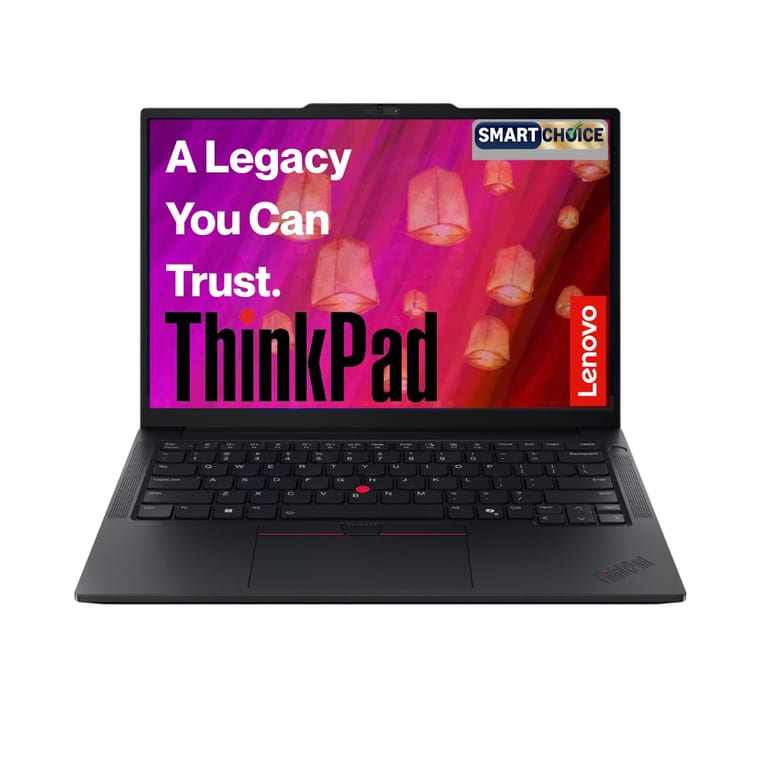
Lenovo ThinkPad E14 Gen 7 (Ryzen 5 220, 16GB, 512GB)
Spill-resistant ThinkPad keyboard, USB4, Ethernet and room for 64GB of RAM.
~₹86,990Amazon.in
Check price →Around ₹86,990, rated 5.0 by just 2 buyers, as this 2026 model is new. The older E14 Gen 5 listing is rated 4.1 by 151 buyers, but it costs about ₹88,999 for an older chip.
ThinkPads are popular with programmers for their keyboards. Lenovo lists a spill-resistant, backlit keyboard whose keys press down 1.5mm, and a TrackPoint, which moves the cursor without your hands leaving the keys. The 14-inch 1920x1200 IPS screen is anti-glare.
The Ryzen 5 220 has 6 cores and 12 threads. It comes with 16GB of DDR5 RAM and a 512GB SSD, and Lenovo's spec sheet lists two memory slots with support for up to 64GB, plus a second M.2 slot.
You also get USB4, HDMI 2.1, Ethernet, a 1080p webcam, Office 2024 and 1-year onsite service. It weighs 1.41kg, and Lenovo says it passed MIL-STD-810H military durability tests.
For ₹6,000 more than the ThinkPad E14, the IdeaPad Slim 3 has 8GB more RAM and twice the storage. Choose the ThinkPad for the keyboard, the ports and room to grow to 64GB.
- Buy it if you type code for hours, want Ethernet and USB4 built in, and plan to add RAM later.
- Worth knowing: it has only 2 ratings so far, so keep the box until the return window ends.
Coding at a desk? A good external keyboard helps too. See our best mechanical keyboards for typing.
Best MacBook for coding: Apple MacBook Neo

Apple MacBook Neo (A18 Pro, 8GB, 256GB)
Runs Xcode for iPhone apps, and 390 buyers rate it 4.7.
~₹71,890Amazon.in
Check price →Around ₹71,890, rated 4.7 by 390 buyers, the highest rating among picks with more than 100 reviews.
To build iPhone or iPad apps, you need a Mac. Apple's Xcode, the tool for iOS apps, runs on macOS, and the current Xcode 27.1 needs macOS Tahoe 26.6 or later. The MacBook Neo is the lowest-priced MacBook we found on Amazon.in, and it also handles web development, Python and DSA practice.
Apple lists the Neo with a 6-core A18 Pro chip, 8GB of unified memory (Apple's term for RAM) and a 256GB SSD. Apple sells it only with 8GB. The 13-inch 2408x1506 IPS screen reaches 500 nits, and Apple lists 219 pixels per inch, the sharpest here.
Apple claims up to 11 hours of web browsing, and it weighs 1.23kg. It has one 10Gbps USB-C port, one slower USB 2 USB-C port and a headphone jack. Only the faster port supports an external display, so a second monitor leaves you one USB 2 port.
- Buy it if you want to learn Swift and build iPhone apps, or you prefer macOS for web work.
- Skip it if you plan Android or Unity work. Google and Unity list the M1 and later M-series chips, but not the A18 Pro.
- Worth knowing: the MacBook Air M5 with 16GB costs well above ₹1.5 lakh (its 1TB version lists an MRP of ₹1,85,900 on Amazon.in), and its 512GB version was out of stock when we checked.
How much RAM do you need for coding?
16GB for most students and developers in 2026. 8GB runs VS Code, Python and DSA practice. But 8GB is only Docker Desktop's minimum, and Google lists 16GB as the minimum for Android Studio with its emulator. Choose 24GB to 32GB if you run several emulators or containers.
Google says each running emulator needs about 4GB. Google's 16GB minimum covers Android Studio with one emulator, so two emulators need about 20GB and three about 24GB. So the IdeaPad Slim 3's 24GB suits app developers, and Google recommends 32GB for heavy use.
Which processor is best for programming?
An Intel H-series chip, such as the Core i5-13420H, or an AMD Ryzen 5 or 7. Google names these for Android Studio, warns against Intel's U-series and N-series, and does not support Windows laptops with ARM-based chips such as Snapdragon. For DSA and web work, any recent 6-core chip is enough.
Do you need a graphics card for coding?
No, unless you train machine learning models or build 3D games. Web development, DSA, college projects and most Android work run on built-in graphics, as long as you test Android apps on a phone. Most Python machine learning on a graphics card uses CUDA, which works only on NVIDIA cards.
Want one laptop for programming and gaming? The HP Victus covers both, and its RTX 4050 meets Google's 4GB graphics card minimum for the Android emulator.
What to check before you buy
- Processor model. An Intel H-series or AMD Ryzen 5 or 7 for Android and heavy builds. Check the exact model, not just "i5" or "Ryzen 5".
- RAM and slots. 16GB minimum. Look for a free slot or a stated maximum, such as 32GB on the Acer picks and 64GB on the ThinkPad.
- Storage. A 512GB SSD at least, 1TB for Android emulators, datasets or game projects. A second M.2 slot lets you add a drive later.
- Screen. At least 1920x1080, ideally IPS or OLED. A 1920x1200 screen shows a few more lines of code.
- Graphics. Built-in is fine unless you train ML models with CUDA (needs NVIDIA) or run the Android emulator on Windows (Google lists 4GB).
- Ports. USB-C with display output or HDMI for a second monitor.
- Price for the specs. Compare what each rupee buys. For ₹6,000 more than the ThinkPad E14, the IdeaPad Slim 3 has 8GB more RAM and twice the storage.
- Virtualization. Docker and the Android emulator both need hardware virtualization turned on in the BIOS. It is a free setting.
- Battery for power cuts. Lenovo lists up to 14.5 hours of video for the 50Wh IdeaPad and 10.3 hours in MobileMark 25 for the Yoga Slim 7. Apple lists up to 11 hours of web use for the MacBook Neo, and Acer claims 7 hours for both Acer picks.
- Seller and warranty. Every pick is sold by a third-party seller, so check the seller's rating before you pay, and read the warranty terms on the product page.
Which laptop for coding should you buy?
For most students and developers, buy the Lenovo IdeaPad Slim 3 with the Core i5-13420H, 24GB and 1TB at around ₹92,950. It runs Android Studio, Docker and a browser together, and 110 buyers rate it 4.2.
If your budget stops at ₹60,000, the Acer Aspire Lite with 16GB at around ₹59,990 is the safe choice, backed by 955 ratings. At ₹50,000, the Acer Aspire 3 still gives you 16GB and an IPS screen.
For machine learning, choose the HP Victus 15 with the RTX 4050. For iPhone apps, choose the MacBook Neo.