Add TopTechs as a preferred source
For most Indian YouTubers and reel editors, the best laptop for video editing is the Lenovo LOQ with an RTX 5050 8GB, at around ₹1,48,990. It runs a Core i7-13645HX and has 16GB of RAM (expandable to 32GB), a 1TB SSD and a 15.6-inch Full HD 144Hz screen that Lenovo rates at 100% sRGB.
That matches what Adobe recommends for editing HD video in Premiere Pro: 16GB of RAM and 8GB of graphics memory. Add a second 16GB stick and it reaches the 32GB Adobe suggests for 4K.
We compared six laptops from about ₹80,000 to ₹1.85 lakh against the official Premiere Pro and DaVinci Resolve requirements, using the specs and owner ratings on Amazon.in.
Quick answer
- Best overallLenovo LOQ, Core i7-13645HX, RTX 5050 8GB, 16GB + 1TB, 15.6" FHD 144Hz with 100% sRGB, around ₹1,48,990
- Best under ₹1 lakhASUS TUF A15 (2026), Ryzen 7 8845HS, RTX 3050 4GB, 16GB + 512GB, 15.6" FHD 144Hz, colour not published, around ₹99,990
- Best budget for 1080p editingAcer ALG, Core i7-13620H, RTX 3050 6GB, 16GB + 512GB, 15.6" FHD 144Hz, 45% NTSC colour, around ₹79,990
- Best for 4K editingLenovo Legion 5, Core i7-13650HX, RTX 5060 8GB, 16GB + 1TB, 15.3" WUXGA 165Hz with 100% sRGB, around ₹1,84,490
- Best display for colour workASUS Zenbook 14 OLED, Core Ultra 5 225H, Intel Arc graphics (shared memory), 16GB + 1TB, 14" 3K OLED (2880 x 1800) with 100% DCI-P3, around ₹1,24,990
- Best MacBook for video editingApple MacBook Air 15, M5 chip, 10-core Apple GPU, 16GB + 512GB, 15.3" 2880 x 1864 P3 screen, around ₹1,61,900
Prices, ratings and review counts checked on 24 October 2026 on Amazon.in. Prices change often, so tap any name for the live price.
Best laptops for video editing: quick comparison
Sorted by price. The colour figure is how much of a colour standard the screen covers, according to the maker.
| Laptop | Price | Processor | RAM | Storage | Graphics (VRAM) | Screen and colour | Rating (reviews) |
|---|---|---|---|---|---|---|---|
| ~₹79,990 | Core i7-13620H, 10 cores | 16GB DDR4, to 64GB | 512GB SSD | RTX 3050, 6GB | 15.6" FHD, 144Hz, 45% NTSC | 3.8 (110) | |
| ~₹99,990 | Ryzen 7 8845HS, 8 cores | 16GB DDR5, to 64GB | 512GB SSD | RTX 3050, 4GB | 15.6" FHD, 144Hz, 250 nits, colour not published | 4.8 (8) | |
| ~₹1,24,990 | Core Ultra 5 225H, 14 cores | 16GB, fixed | 1TB SSD | Intel Arc, shared memory | 14" 3K OLED, 120Hz, 100% DCI-P3 | 4.0 (42) | |
| ~₹1,48,990 | Core i7-13645HX, 14 cores | 16GB DDR5, to 32GB | 1TB SSD | RTX 5050, 8GB | 15.6" FHD IPS, 144Hz, 100% sRGB | 4.2 (32) | |
| ~₹1,61,900 | Apple M5, 10-core CPU | 16GB unified, fixed | 512GB SSD | 10-core Apple GPU, shared memory | 15.3" Liquid Retina, 2880 x 1864, 60Hz, 500 nits, P3 (no % published) | 4.6 (65) | |
| ~₹1,84,490 | Core i7-13650HX, 14 cores | 16GB DDR5, to 32GB | 1TB SSD | RTX 5060, 8GB | 15.3" WUXGA IPS, 165Hz, 100% sRGB | 3.9 (7) |
What do Premiere Pro and DaVinci Resolve need?
For HD editing, Adobe recommends 16GB of RAM and 8GB of graphics memory, and 32GB of RAM for 4K. DaVinci Resolve on Windows needs at least 16GB of RAM and 4GB of graphics memory, rising to 32GB of RAM once you use its Fusion effects page.
Graphics memory, or VRAM, is the separate memory on the graphics card. It holds video frames and effects while you play and move through the timeline. Here are the official numbers side by side.
| Requirement | Premiere minimum | Premiere recommended | Resolve 21 minimum (Windows) | Resolve for heavier work |
|---|---|---|---|---|
| RAM | 8GB | 16GB for HD, 32GB or more for 4K | 16GB | 32GB with Fusion or background rendering |
| Graphics memory (VRAM) | 4GB | 8GB | 4GB, integrated or separate GPU | 16GB for advanced AI tools, 12GB for background rendering |
| Storage | 8GB free, plus a fast drive for media | Fast internal SSD for the app and cache, plus a fast drive for media | Not published | Not published |
| Mac memory | 8GB | 16GB unified memory | 8GB (16GB with Fusion) | 16GB for AI tools, 32GB for background rendering |
| Screen | 1920 x 1080 | 1920 x 1080 or more | Not published | Not published |
Adobe says its minimum is for HD video, and its recommended specs cover HD, 4K and higher. The figures come from Adobe's Premiere technical requirements, updated on 7 October 2026. Adobe now calls the app simply Premiere.
Blackmagic's figures come from the DaVinci Resolve 21.1.1 release notes, dated 1 October 2026. Resolve also asks Windows users with NVIDIA cards to install the Studio driver, version 581.57 or newer.
Which of these laptops meet the recommended specs?
The Lenovo LOQ and Legion 5 meet Adobe's recommended specs for HD editing as sold, and both reach the 4K level with a second 16GB RAM stick. Every pick comes with 16GB, because every 32GB laptop with an RTX card that we found cost over ₹2 lakh.
| Laptop | RAM for HD (Adobe: 16GB) | Path to 32GB for 4K | VRAM (Adobe: 8GB) | Resolve minimum |
|---|---|---|---|---|
| Lenovo LOQ | 16GB, meets | Yes, free slot, up to 32GB | 8GB, meets | Meets |
| Lenovo Legion 5 | 16GB, meets | Yes, free slot, up to 32GB | 8GB, meets | Meets |
| ASUS TUF A15 | 16GB, meets | Yes, up to 64GB | 4GB, minimum only | Meets |
| Acer ALG | 16GB, meets | Yes, up to 64GB | 6GB, above minimum | Meets |
| ASUS Zenbook 14 OLED | 16GB, meets | No, fixed at 16GB | Integrated, shares system memory | Meets (integrated GPUs allowed) |
| MacBook Air 15 (M5) | 16GB unified, meets Adobe's Mac figure | No, fixed at 16GB | Shares the 16GB unified memory | Meets, including Fusion and AI tools |
How we worked it out: we compared the RAM and graphics memory on each laptop's Amazon.in listing with Adobe's and Blackmagic's published numbers. The "up to" memory figures come from the makers' own listings. The lowest-priced 32GB model we found was a Dell Alienware 15 with an RTX 5060, at around ₹2,13,490.
sRGB or DCI-P3: what colour range does an editing screen need?
For YouTube and Instagram videos, look for a screen that covers 100% of sRGB, the standard colour range most web video uses. DCI-P3 is a wider range used for cinema and HDR video. A 45% NTSC screen, common on budget gaming laptops, shows a much narrower range than sRGB.
Colour range, or gamut, is how many colours a screen can show. On a narrow-gamut screen, colours look duller than they are, so you may raise them too much while editing. The colours then look too strong on your viewers' phones.
- The ASUS Zenbook 14 OLED covers 100% DCI-P3, according to ASUS.
- The MacBook Air 15 shows P3 wide colour, but Apple does not publish a coverage percentage.
- The Lenovo LOQ and Legion 5 cover 100% sRGB, according to Lenovo.
- The Acer ALG covers 45% NTSC, according to Acer's listing.
- The ASUS TUF A15 listing doesn't give a colour figure, only 250 nits of brightness.
Best overall laptop for video editing: Lenovo LOQ, Core i7-13645HX, RTX 5050
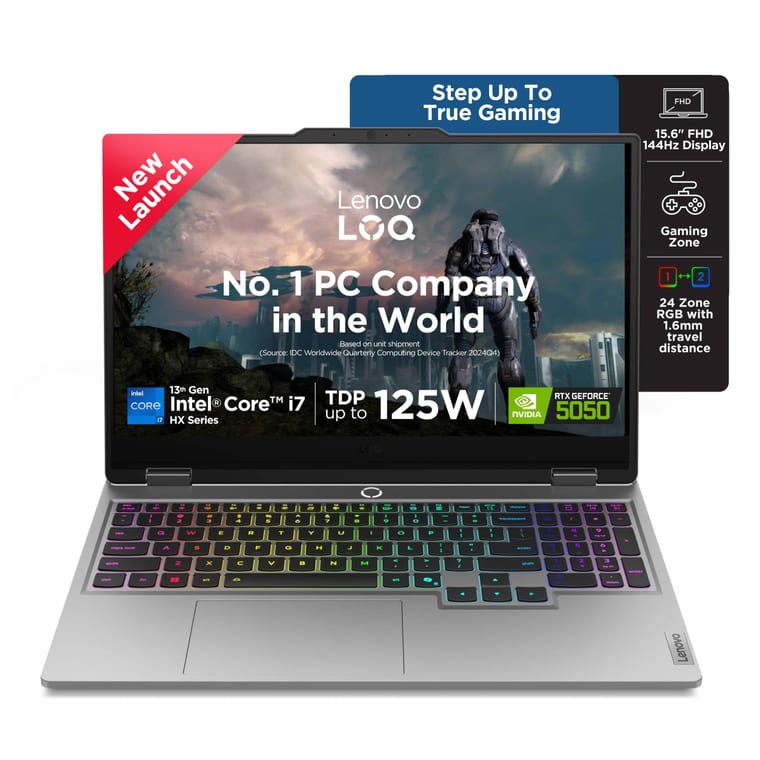
Lenovo LOQ, Core i7-13645HX, RTX 5050 8GB
Meets Adobe's HD specs: 8GB RTX 5050, 16GB RAM, 1TB SSD, 100% sRGB screen.
~₹1,48,990Amazon.in
Check price →Around ₹1,48,990, rated 4.2 by 32 buyers.
This LOQ meets Adobe's recommended specs for HD editing without any upgrade. Its RTX 5050 has 8GB of GDDR7 graphics memory, the amount Adobe recommends, and Lenovo runs it at up to 100W. The Core i7-13645HX has 14 cores and 20 threads, which helps with exports and timeline previews.
You get 16GB of DDR5 RAM in one of two slots, and Lenovo lists support for up to 32GB. A second 16GB stick takes it to Adobe's 4K level. The 1TB SSD holds the apps, their cache and your current projects.
The 15.6-inch Full HD IPS screen runs at 144Hz and 300 nits, and Lenovo rates it at 100% sRGB, the colour range YouTube videos use. Office Home 2024 is included.
- Buy it if you edit YouTube videos and reels in Premiere, DaVinci Resolve or CapCut, and want to game on the same laptop.
- Worth knowing: it weighs 2.4kg and Lenovo lists about 4 hours of battery, so edit and export with the charger plugged in.
Best laptop for video editing under ₹1 lakh: ASUS TUF A15 (2026), Ryzen 7 8845HS
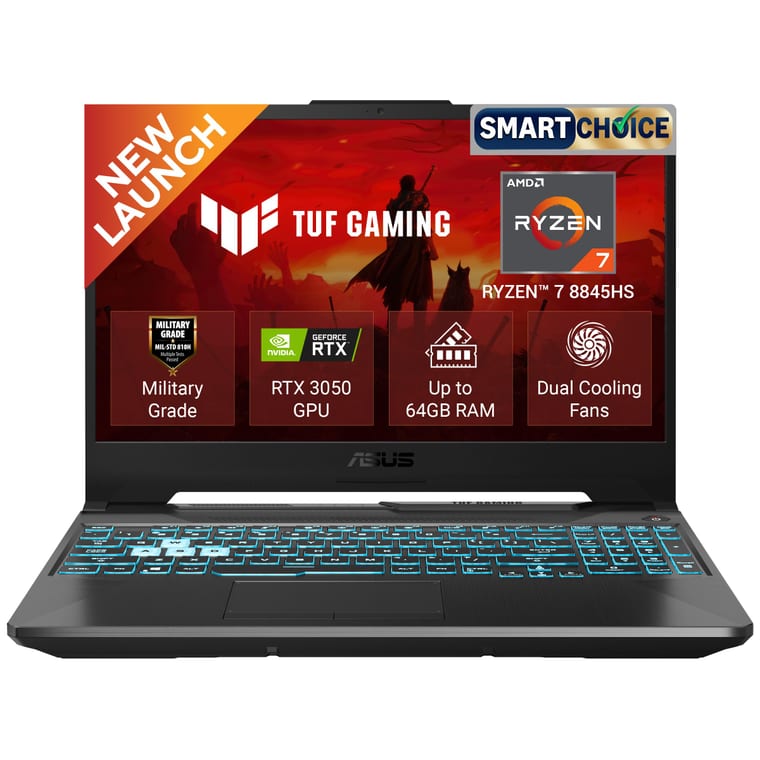
ASUS TUF A15 (2026), Ryzen 7 8845HS, RTX 3050 4GB
16GB + 512GB, an 8-core Ryzen 7 8845HS, and DDR5 RAM that grows to 64GB.
~₹99,990Amazon.in
Check price →Around ₹99,990, rated 4.8 by 8 buyers. It is a 2026 model, so reviews are few so far.
The TUF A15 pairs an 8-core, 16-thread Ryzen 7 8845HS with an RTX 3050 with 4GB of graphics memory. That 4GB is exactly the minimum Adobe and Blackmagic ask for, so the laptop suits 1080p editing, but not heavy effects or Resolve's AI tools.
The 16GB of DDR5 RAM can go up to 64GB, according to ASUS, which leaves room to grow into 4K. Storage is a 512GB SSD. The 15.6-inch Full HD screen runs at 144Hz, but ASUS rates it at only 250 nits and does not publish its colour coverage.
ASUS includes Office Home 2024 and a 1-year global warranty with onsite service in India. It weighs 2.3kg and has a 48Wh battery, so keep the charger close. A 10Gbps USB-C port suits a fast external SSD for footage.
- Buy it if your budget stops at ₹1 lakh and you want a newer processor and memory that can grow with your channel.
- Skip it if you mainly edit in DaVinci Resolve. The Acer ALG below has 6GB of graphics memory for ₹20,000 less.
Best budget laptop for 1080p editing: Acer ALG, Core i7-13620H, RTX 3050 6GB
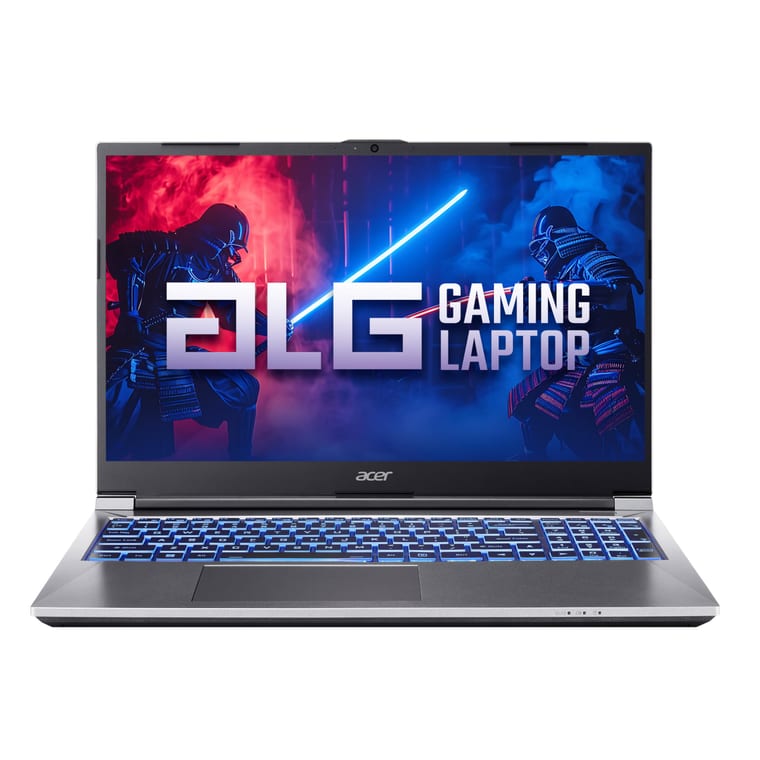
Acer ALG, Core i7-13620H, RTX 3050 6GB
16GB + 512GB with an RTX 3050 6GB, the lowest-priced RTX laptop we found.
~₹79,990Amazon.in
Check price →Around ₹79,990, rated 3.8 by 110 buyers, the most reviewed of the six picks.
This was the lowest-priced laptop with an RTX graphics card that we found on Amazon.in. Its RTX 3050 has 6GB of graphics memory, above the 4GB minimum. By its specs, the 10-core Core i7-13620H suits 1080p timelines and exports.
It has 16GB of DDR4 RAM and a 512GB SSD, and Acer's listing gives a maximum of 64GB of RAM. A microSD card slot helps with footage from action cameras and drones.
At 1.99kg, it is the lightest gaming laptop here. It has a 54Wh battery and a 1-year warranty.
The weak spot is the screen. The 15.6-inch Full HD panel runs at 144Hz, but Acer rates it at 45% NTSC, a narrow colour range well short of full sRGB.
- Buy it if you are a student or new YouTuber editing 1080p videos on a tight budget.
- Worth knowing: check colours on your phone before you publish. Office is not included, and Amazon showed only 1 left in stock when we checked.
Best laptop for 4K video editing: Lenovo Legion 5, Core i7-13650HX, RTX 5060
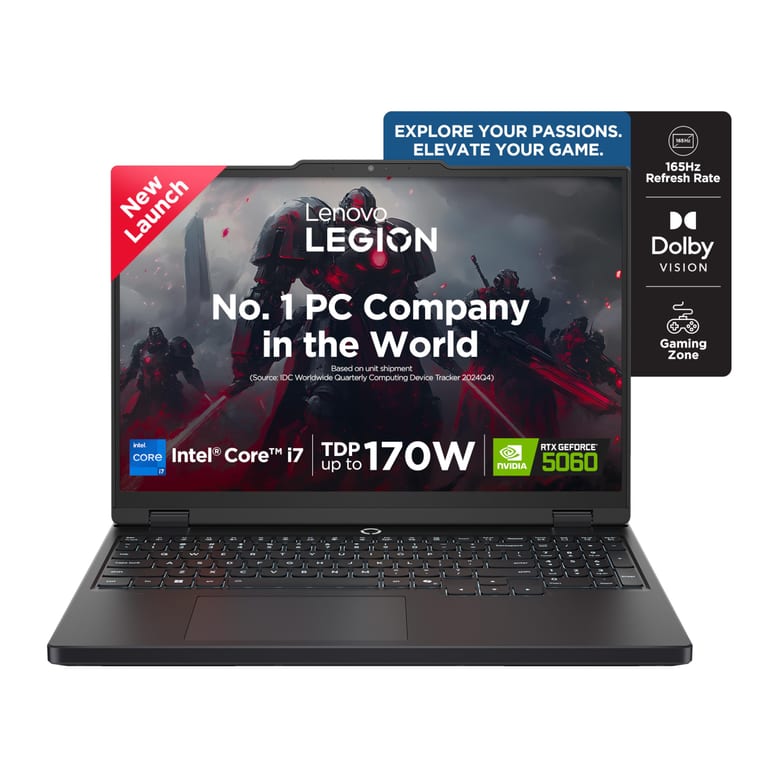
Lenovo Legion 5, Core i7-13650HX, RTX 5060 8GB
16GB + 1TB, an RTX 5060 8GB at 115W and a 165Hz 100% sRGB screen.
~₹1,84,490Amazon.in
Check price →Around ₹1,84,490, rated 3.9 by 7 buyers.
The Legion 5 has an RTX 5060 with 8GB of GDDR7 graphics memory. Lenovo lets it use up to 115W of power, compared with 100W for the LOQ's RTX 5050. It is the highest-tier graphics card in this list.
The 14-core, 20-thread Core i7-13650HX suits 4K exports, and Lenovo cools both chips with a vapour chamber.
It comes with 16GB of DDR5 RAM in one of two slots, up to 32GB, plus a 1TB SSD. For 4K timelines, add a second 16GB stick to reach the 32GB Adobe recommends.
The 15.3-inch WUXGA (1920 x 1200) IPS screen runs at 165Hz and 300 nits with 100% sRGB. Its taller 16:10 shape leaves more room for the timeline.
Lenovo includes Office Home 2024, 1 year of accidental damage protection and onsite service. The laptop weighs 2.1kg and has an 80Wh battery.
- Buy it if you shoot 4K on a mirrorless camera or phone and want the strongest graphics card in this list.
- Worth knowing: if you can stretch to about ₹2,26,600, look at the ASUS TUF A16 with a 16-core Ryzen 9 8940HX and RTX 5070. It is rated 4.6 by 40 buyers and takes up to 64GB of RAM.
Best display for colour work: ASUS Zenbook 14 OLED, Core Ultra 5 225H
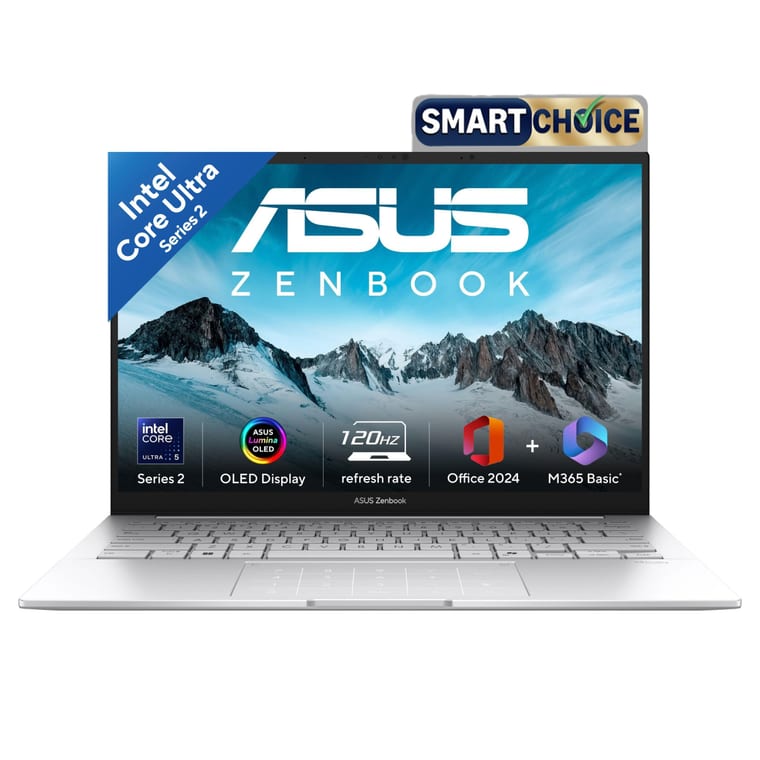
ASUS Zenbook 14 OLED, Core Ultra 5 225H
16GB + 1TB with a 14-inch 3K OLED covering 100% DCI-P3, at 1.28kg.
~₹1,24,990Amazon.in
Check price →Around ₹1,24,990, rated 4.0 by 42 buyers.
The Zenbook's 14-inch 3K OLED screen (2880 x 1800) covers 100% of DCI-P3, according to ASUS. That is the widest colour range among the Windows picks, with deep blacks and up to 500 nits for HDR. It runs at 120Hz and accepts touch and a stylus.
Inside are a 14-core Core Ultra 5 225H, 16GB of LPDDR5X RAM and a 1TB SSD. Graphics are Intel Arc, built into the processor and sharing system memory. That suits 1080p editing, photo editing and colour grading more than heavy 4K effects.
Two Thunderbolt 4 ports suit a fast external SSD for footage. It weighs 1.28kg, has a 75Wh battery and comes with Office 2024.
- Buy it if colour matters most, for wedding photos, reels or short films, and you carry your laptop to shoots.
- Skip it if you edit long 4K projects. It has no separate graphics card, and its 16GB of memory cannot be upgraded.
Best MacBook for video editing: Apple MacBook Air 15 (M5)
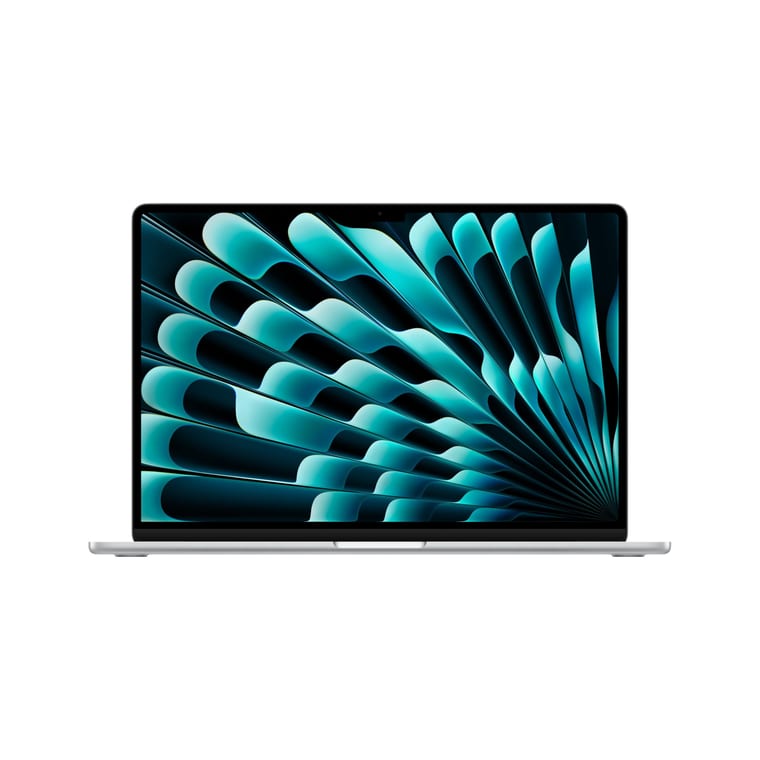
Apple MacBook Air 15 (M5)
16GB + 512GB, M5 chip and up to 18 hours of battery, per Apple.
~₹1,61,900Amazon.in
Check price →Around ₹1,61,900, rated 4.6 by 65 buyers.
The M5 chip has a 10-core CPU and a 10-core GPU, with 16GB of unified memory, the amount Adobe recommends for Macs. Apple says the M5 can edit 4K video. Its media engine speeds up H.264, HEVC and ProRes, the formats iPhones and most cameras record.
The 15.3-inch Liquid Retina screen (2880 x 1864) reaches 500 nits at 60Hz and shows the P3 wide colour range, though Apple doesn't publish a coverage figure. Apple claims up to 18 hours of battery life for video streaming. The laptop weighs 1.51kg.
Storage is 512GB, which fills fast with 4K footage. The 13-inch MacBook Air M5 with 1TB costs about ₹1,72,490 and is rated 4.7 by 285 buyers.
Two Thunderbolt 4 ports, rated by Apple at up to 40Gbps, suit a fast external SSD. Apple gives a 1-year warranty.
- Buy it if you shoot on an iPhone and want long battery life through power cuts.
- Worth knowing: the design is silent and fanless, Apple says. Without a fan, a laptop can slow down on long 4K exports in a hot room. Memory and storage cannot be upgraded later.
Is a gaming laptop good for video editing?
Yes. In India, a gaming laptop is often the best value for editing, because its RTX graphics card and fast H-series or HX-series processor speed up previews and exports. The trade-offs are weight, short battery life and screens that may cover less colour.
Check the screen's colour figure before you buy, and look for 100% sRGB. Our best gaming laptops guide covers more models if you play as much as you edit.
How much storage do you need for video editing?
Get a 1TB SSD if you can. Adobe recommends a fast internal SSD for the app and its cache, plus a separate fast drive for your footage. With a 512GB laptop, plan on an external SSD from day one.
Keep the external drive on a 10Gbps USB-C or Thunderbolt port. The Zenbook and MacBook Air have Thunderbolt 4, and the LOQ, Legion 5 and TUF A15 have 10Gbps USB-C.
Can you edit videos on a laptop under ₹50,000?
Yes for short 1080p reels in simple editing apps, but expect slow previews and exports. No laptop under ₹50,000 that we found had a separate graphics card. The Acer ALG at around ₹79,990 was the lowest-priced RTX laptop on Amazon.in when we checked.
At that budget, aim for 16GB of RAM and a 512GB SSD. Our best laptop under ₹50,000 guide lists the strongest options, and our best laptop under ₹1 lakh guide covers thin laptops for study and work.
What to check before you buy
- Processor. A chip with H or HX in its model name and 8 or more cores, such as the Ryzen 7 8845HS or Core i7-13645HX, helps with exports.
- RAM. 16GB is Adobe's recommendation for HD. For 4K, choose a laptop with a free slot so you can reach 32GB.
- Graphics memory. 4GB is the minimum for Premiere and Resolve, and 8GB is Adobe's recommendation.
- Storage. A 1TB SSD, or 512GB plus an external SSD on a 10Gbps USB-C or Thunderbolt port.
- Screen. Full HD or higher, IPS or OLED, and 100% sRGB for YouTube work. A 15 or 16-inch screen fits more of the timeline.
- Drivers. On NVIDIA laptops, install the Studio driver. DaVinci Resolve 21 asks for version 581.57 or newer.
- Power. Gaming laptops last only a few hours on battery, so keep the charger plugged in for exports.
Recording tutorials for your channel as well? Our guide to screen recording on Windows covers the free tools.
Which laptop for video editing should you buy?
For most YouTubers and reel editors, buy the Lenovo LOQ with the RTX 5050 8GB at around ₹1,48,990. It meets Adobe's recommended specs for HD, has a 1TB SSD and a 100% sRGB screen, and it can reach 32GB for 4K.
If your budget stops at ₹1 lakh, the ASUS TUF A15 (2026) at around ₹99,990 has a newer 8-core processor and RAM that can go to 64GB. For the lowest price, the Acer ALG at around ₹79,990 has 6GB of graphics memory for 1080p editing.
Shooting 4K? Choose the Lenovo Legion 5. For the best colours, pick the ASUS Zenbook 14 OLED, and if you use an iPhone, the MacBook Air 15 (M5).