Add TopTechs as a preferred source
The best monitor under ₹10,000 for most people is the LG UltraGear 24GS65F at around ₹9,799. It has a 23.8-inch Full HD (1920 x 1080) IPS screen that redraws 180 times a second (180Hz), and its stand moves up, down and turns to portrait. On Amazon.in, 755 buyers rate it 4.4.
We compared seven monitors from ₹6,349 to ₹10,999 using the makers' spec sheets and Amazon.in ratings. IPS is a panel type that keeps colours steady when you look from the side.
No 2K (2560 x 1440) monitor from a major brand cost under ₹10,000 when we checked. The closest is the LG 24U631A at around ₹10,999.
Quick answer
- Best overallLG UltraGear 24GS65F, 23.8-inch Full HD IPS, 180Hz, height-adjustable stand, around ₹9,799
- Best valueAcer EK240Y P6, 23.8-inch Full HD IPS, 144Hz, around ₹6,488
- Best for gamingMSI MAG 255F E20, 24.5-inch Full HD Rapid IPS, 200Hz, around ₹8,599
- Best 27-inchAcer Nitro VG270 X1, 27-inch Full HD IPS, 200Hz, speakers, around ₹9,998
- Best for office and studyBenQ GW2790, 27-inch Full HD IPS, 100Hz, auto brightness, around ₹9,888
- Best 2K (just over budget)LG 24U631A, 23.8-inch 2K (2560 x 1440) IPS, 100Hz, USB-C, around ₹10,999
- Best for small desksDell SE2225HM, 21.5-inch Full HD VA, 100Hz, around ₹6,349
Prices, ratings and review counts checked on 29 October 2026 on Amazon.in. Prices change often, so tap any name for the live price.
Monitors under ₹10,000: quick comparison
Sorted by price. Full HD means 1920 x 1080 pixels, and 2K means 2560 x 1440. HDMI, DP (DisplayPort), VGA and USB-C are the sockets a computer plugs into. Every pick comes with an HDMI cable in the box.
| Monitor | Price | Size | Resolution | Refresh rate | Panel | Inputs | Rating (reviews) |
|---|---|---|---|---|---|---|---|
| ~₹6,349 | 21.5-inch | Full HD | 100Hz | VA | HDMI 1.4, VGA | 4.4 (2,552) | |
| ~₹6,488 | 23.8-inch | Full HD | 144Hz | IPS | HDMI, VGA | 4.4 (1,101)* | |
| ~₹8,599 | 24.5-inch | Full HD | 200Hz | Rapid IPS | 2x HDMI 2.0b†, DP 1.2a | 4.4 (305) | |
| ~₹9,799 | 23.8-inch | Full HD | 180Hz | IPS | HDMI 2.0, DP 1.4 | 4.4 (755) | |
| ~₹9,888 | 27-inch | Full HD | 100Hz | IPS | 2x HDMI 1.4, DP 1.2 | 4.3 (2,388) | |
| ~₹9,998 | 27-inch | Full HD | 200Hz | IPS | 2x HDMI 2.0, DP 1.2 | 4.3 (451) | |
| ~₹10,999 (over budget) | 23.8-inch | 2K (2560 x 1440) | 100Hz | IPS | HDMI, USB-C | 4.4 (185) |
*Amazon shows the same rating and count on the 27-inch Acer KA270 P6, so the count covers both sizes. †Figure from MSI's datasheet. Amazon lists one HDMI.
Can you get a 2K monitor under ₹10,000?
Not from a major brand in October 2026. In our Amazon.in searches on 29 October, every 2K monitor under ₹10,000 came from a lesser-known brand. The LG 24U631A at around ₹10,999 is the closest well-rated option, so it is our 2K pick.
2K, also sold as QHD or 1440p, has 78% more pixels than Full HD, so text and photos look sharper. The difference shows most in spreadsheets, code and photo editing.
In games, the graphics card must draw those extra pixels in every frame, so a budget PC is better off with Full HD at 180Hz or 200Hz. Our best gaming monitor guide covers 2K gaming screens above this budget.
Which monitor size and resolution suit your desk?
If you sit 50 to 70 cm from the screen, pick a 24-inch Full HD or 2K monitor. A 27-inch Full HD monitor spreads the same pixels over a bigger area, so text looks softer up close. It suits a deeper desk where you can sit about 80 cm back.
How we worked it out: we found each screen's pixels per inch (PPI) from its size and resolution. Normal 6/6 eyesight separates details about one-sixtieth of a degree apart, so we found the distance where single pixels blend in. We also divided each price by screen size and by pixel count.
| Monitor | Size and resolution | PPI | Pixels blend in from | ₹ per inch | ₹ per million pixels |
|---|---|---|---|---|---|
| LG 24U631A | 23.8-inch 2K | 123.4 | 71 cm | ₹462 | ₹2,984 |
| Dell SE2225HM | 21.5-inch Full HD | 102.5 | 85 cm | ₹295 | ₹3,062 |
| Acer EK240Y P6 | 23.8-inch Full HD | 92.6 | 94 cm | ₹273 | ₹3,129 |
| LG UltraGear 24GS65F | 23.8-inch Full HD | 92.6 | 94 cm | ₹412 | ₹4,726 |
| MSI MAG 255F E20 | 24.5-inch Full HD | 89.9 | 97 cm | ₹351 | ₹4,147 |
| BenQ GW2790 | 27-inch Full HD | 81.6 | 107 cm | ₹366 | ₹4,769 |
| Acer Nitro VG270 X1 | 27-inch Full HD | 81.6 | 107 cm | ₹370 | ₹4,822 |
OSHA, the US workplace safety agency, suggests 20 to 40 inches (about 50 to 100 cm) between your eyes and the screen. Pixels on the 2K LG blend in from 71 cm, but a 27-inch Full HD screen needs 107 cm, beyond that range.
To make a 27-inch Full HD screen look as sharp as a 23.8-inch one, sit about 13% further back: 79 cm instead of 70 cm.
Per million pixels, the 2K LG is the best deal here at ₹2,984, despite the highest price. Per inch of screen, the Acer EK240Y P6 is the best deal at ₹273.
Can your laptop or PC run 144Hz, 180Hz or 200Hz?
Only if your computer's video port supports that rate. Check your laptop's spec sheet for the HDMI version. HDMI 1.4 is officially listed for Full HD at up to 120Hz, while our picks reach 180Hz and 200Hz over HDMI 2.0 or DisplayPort. A VGA port is slower still.
Refresh rate is how many times a second the screen redraws. A higher rate makes scrolling look smoother on any computer, but in games it helps only when your graphics can draw that many frames per second.
| Your computer's port | What to expect from these monitors |
|---|---|
| HDMI 1.4 | Full HD at up to 120Hz, as listed in the HDMI 1.4b specification. Fine for the 100Hz BenQ and Dell. A 144Hz to 200Hz monitor may run at a lower rate. Acer does not publish the HDMI version of the 144Hz EK240Y P6. |
| HDMI 2.0 or newer | MSI runs 200Hz over HDMI 2.0b, LG runs 180Hz over HDMI 2.0, and Acer lists HDMI 2.0 on the 200Hz VG270 X1. |
| DisplayPort | MSI lists 200Hz over DisplayPort 1.2a. The LG 24GS65F (DP 1.4), Acer VG270 X1 (DP 1.2) and BenQ (DP 1.2) also have DisplayPort. |
| USB-C | Only the LG 24U631A takes video over USB-C, and only if your laptop's spec sheet lists video output (DisplayPort Alt Mode) on USB-C. |
| VGA | Dell says its VGA input runs at 50 to 76Hz, so use HDMI to get 100Hz. |
After connecting, open Windows Settings, then System, Display and Advanced display. If the refresh rate shows 60Hz, choose the highest rate listed.
IPS or VA: which panel type is better?
IPS suits most people, because colours do not shift when you look from an angle. VA (vertical alignment) panels show deeper blacks. Dell rates its VA screen at 3,000:1 contrast, two to three times the 1,000:1 to 1,500:1 listed for our IPS picks, which helps films in a dark room.
Contrast ratio compares a screen's brightest white with its darkest black.
Best monitor under ₹10,000 overall: LG UltraGear 24GS65F
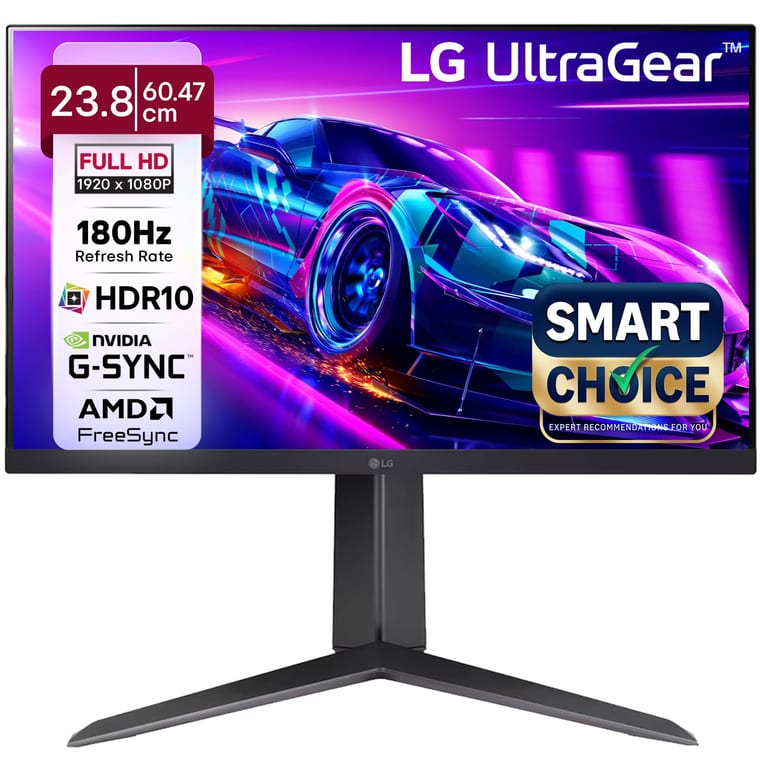
LG UltraGear 24GS65F
23.8-inch 180Hz IPS, and the only pick that lists a height-adjustable, pivoting stand.
~₹9,799Amazon.in
Check price →Around ₹9,799, rated 4.4 by 755 buyers.
The LG has a 23.8-inch Full HD IPS screen that runs at up to 180Hz. Response time is how quickly a pixel changes shade, and lower means less blur. LG quotes 1ms grey-to-grey (GtG) in its Faster mode. LG rates brightness at 300 nits.
The LG is the only pick whose maker lists a height-adjustable stand, with 110 mm of travel, and it pivots to portrait for long documents or code. The monitor supports NVIDIA G-SYNC Compatible and AMD FreeSync, which match the screen's redraw to the graphics card and stop the picture tearing in games.
Inputs are one HDMI 2.0 and one DisplayPort 1.4, and an HDMI cable is in the box. The warranty is 3 years.
- Buy it if you want one screen for work and games, with a stand you can raise to eye level.
- Worth knowing: the LG has no speakers, only a headphone socket.
Best value monitor under ₹10,000: Acer EK240Y P6
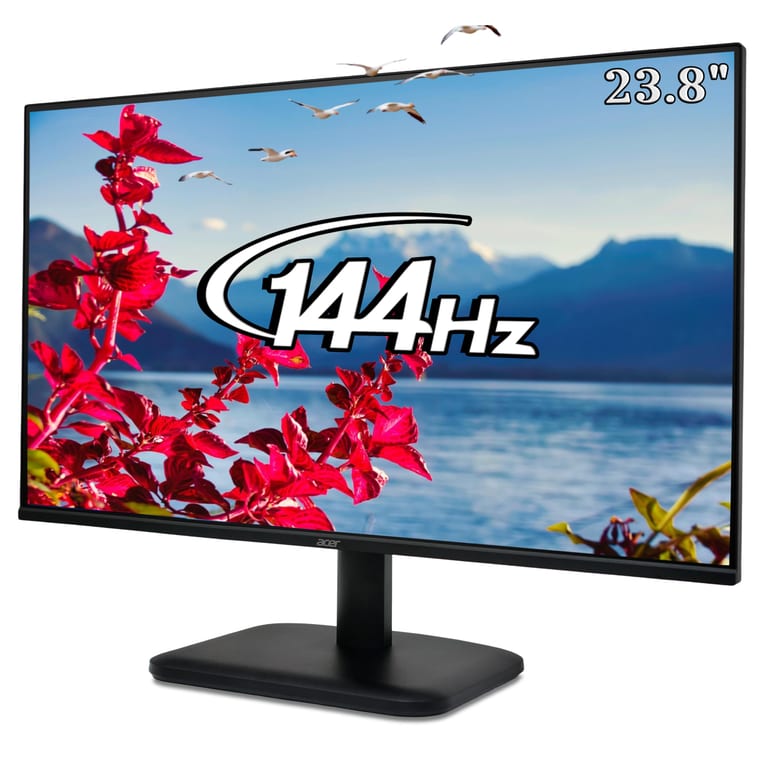
Acer EK240Y P6
144Hz on a 23.8-inch IPS screen, the lowest price per inch here.
~₹6,488Amazon.in
Check price →Around ₹6,488, rated 4.4 by 1,101 buyers. Amazon shows the same count on the 27-inch Acer KA270 P6, so the rating covers both sizes.
The Acer EK240Y P6 has a 23.8-inch Full HD IPS screen at 144Hz and the lowest price per inch in our list. Acer quotes 250 nits, 1,500:1 contrast and AMD FreeSync.
Acer's 1ms response time is measured with its blur-reducing mode, VRB, turned on. LG and MSI quote grey-to-grey times, so you cannot compare the figures directly.
Inputs are one HDMI and one VGA, with no DisplayPort, and an HDMI cable is in the box. The stand tilts 5 degrees forward and 20 degrees back, and the warranty is 3 years.
- Buy it if you want a smooth 144Hz screen for study, work and light gaming for under ₹6,500.
- Skip it if you need speakers. The 27-inch Acer KA270 P6 adds 2W x 2 speakers for around ₹8,599.
Best gaming monitor under ₹10,000: MSI MAG 255F E20
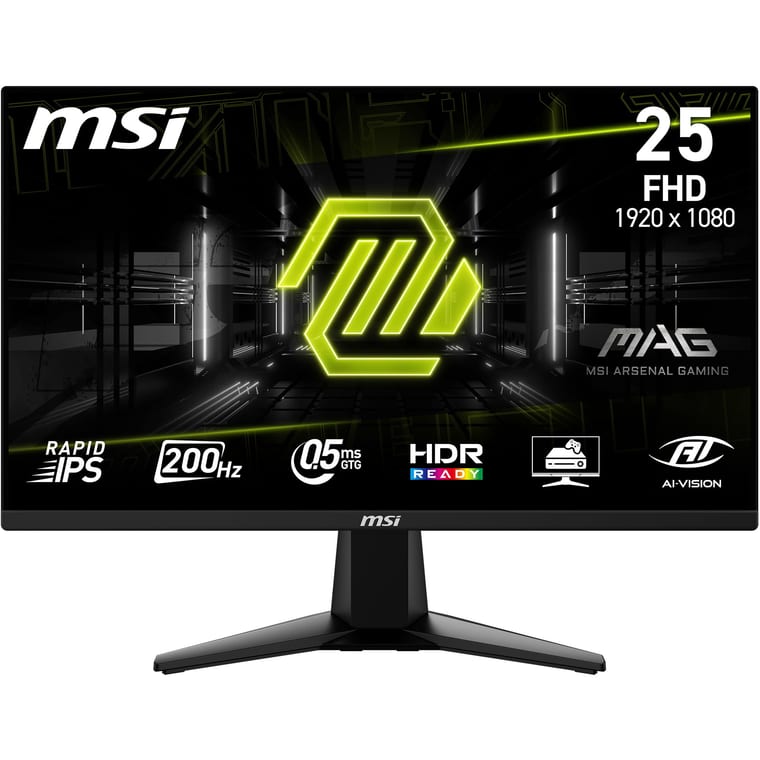
MSI MAG 255F E20
200Hz Rapid IPS with a 0.5ms response time, and 200Hz over HDMI 2.0b or DisplayPort.
~₹8,599Amazon.in
Check price →Around ₹8,599, rated 4.4 by 305 buyers.
The MSI is the lowest-priced 200Hz monitor here: a 24.5-inch Full HD Rapid IPS screen with a 0.5ms grey-to-grey response time, MSI's best-case figure. Rapid IPS is MSI's name for a faster IPS panel. MSI rates it at 300 nits and 100% sRGB, the standard colour range for web pages and games.
FreeSync Premium stops tearing while a game runs at 48 to 200 frames per second. MSI's datasheet lists two HDMI 2.0b ports and one DisplayPort 1.2a, each able to run 200Hz, though Amazon shows only one HDMI. An HDMI cable is in the box, and the warranty is 3 years.
MSI says Console Mode accepts 2K at 120Hz from a PS5 or Xbox Series X and S, shown at Full HD.
- Buy it if you play fast games like Valorant on a PC that runs games at high frame rates.
- Worth knowing: delivery was about two weeks away when we checked, and the stand only tilts.
Best 27-inch monitor under ₹10,000: Acer Nitro VG270 X1
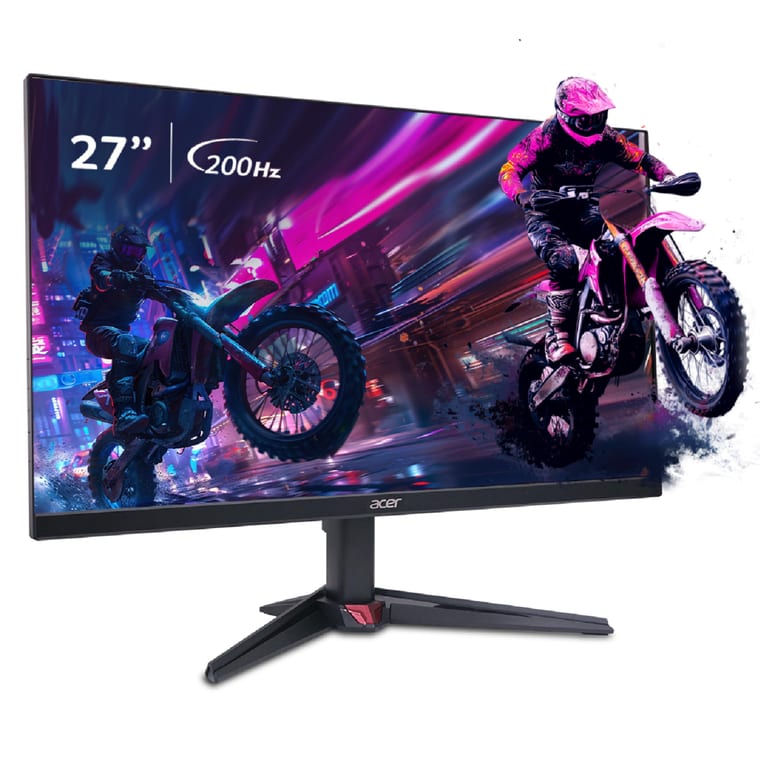
Acer Nitro VG270 X1
27-inch at 200Hz with two HDMI 2.0 ports, DisplayPort and speakers.
~₹9,998Amazon.in
Check price →Around ₹9,998, rated 4.3 by 451 buyers.
This Acer puts 200Hz on a 27-inch Full HD IPS screen. Acer's listing quotes a 0.5ms response time, 250 nits, 99% sRGB and HDR10, a common format for high-contrast video.
The Acer has two HDMI 2.0 inputs and one DisplayPort 1.2, so you can connect a PC, a laptop and a console at once. It also has 2W x 2 speakers. The monitor supports FreeSync Premium, an HDMI cable is in the box, and the warranty is 3 years.
The weak point is sharpness. At 81.6 pixels per inch, the joint lowest here with the BenQ, single pixels blend in only from about 107 cm. Sit about 80 cm back and text looks as sharp as a 24-inch Full HD screen does at 70 cm.
- Buy it if you want a big screen for games and films on a deep desk.
- Skip it if you sit close or read small text all day. The 24-inch picks look sharper.
Best monitor for office and study: BenQ GW2790
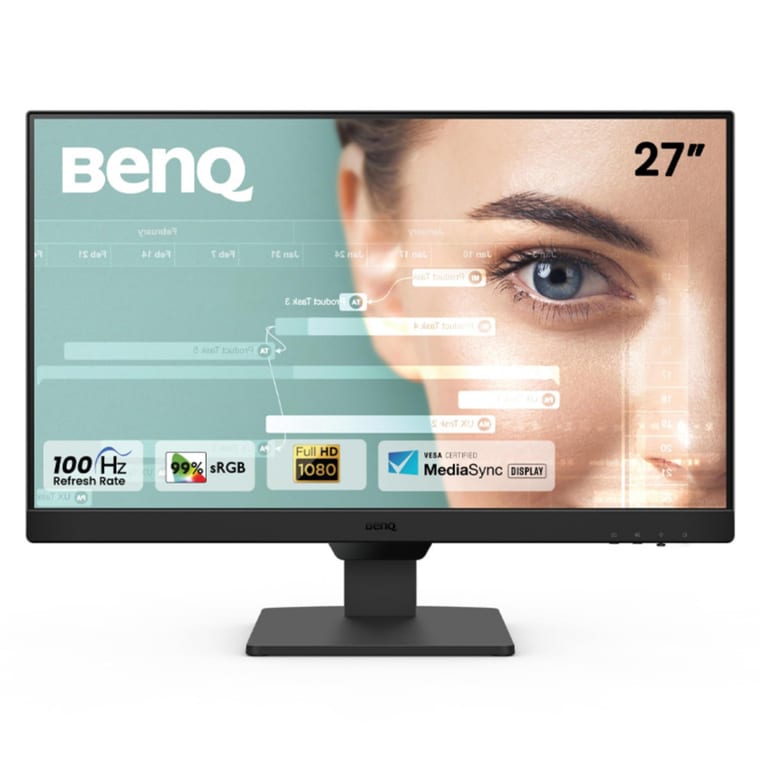
BenQ GW2790
Auto brightness, eye-care modes, speakers and three inputs on a 27-inch screen.
~₹9,888Amazon.in
Check price →Around ₹9,888, rated 4.3 by 2,388 buyers, the most-reviewed 27-inch monitor here.
BenQ built this monitor for long work and study hours. Its B.I. Gen2 sensor adjusts brightness to the light in your room. BenQ adds a flicker-free backlight, Low Blue Light Plus, ePaper and Coding modes, and Eye-CareU software that reminds you to take breaks.
The 27-inch Full HD IPS screen runs at 100Hz, with a 5ms grey-to-grey response time, 250 nits and 1,300:1 contrast. BenQ lists VESA MediaSync, a VESA certification for smooth video playback with a variable refresh rate, but not FreeSync or G-SYNC.
Inputs are two HDMI 1.4 and one DisplayPort 1.2, plus 2W x 2 speakers, and a button switches between a laptop and a PC. The stand tilts 5 degrees forward and 20 degrees back, and the screen fits VESA 100 x 100 arms, the standard screw pattern for mounts. The warranty is 3 years.
Using the BenQ beside a laptop? See how to set up dual monitors.
- Buy it if you read, write or attend online classes for hours and want the screen to adjust itself.
- Skip it if you play fast games. The Acer VG270 X1 reaches 200Hz for ₹110 more.
Best 2K monitor near ₹10,000: LG 24U631A
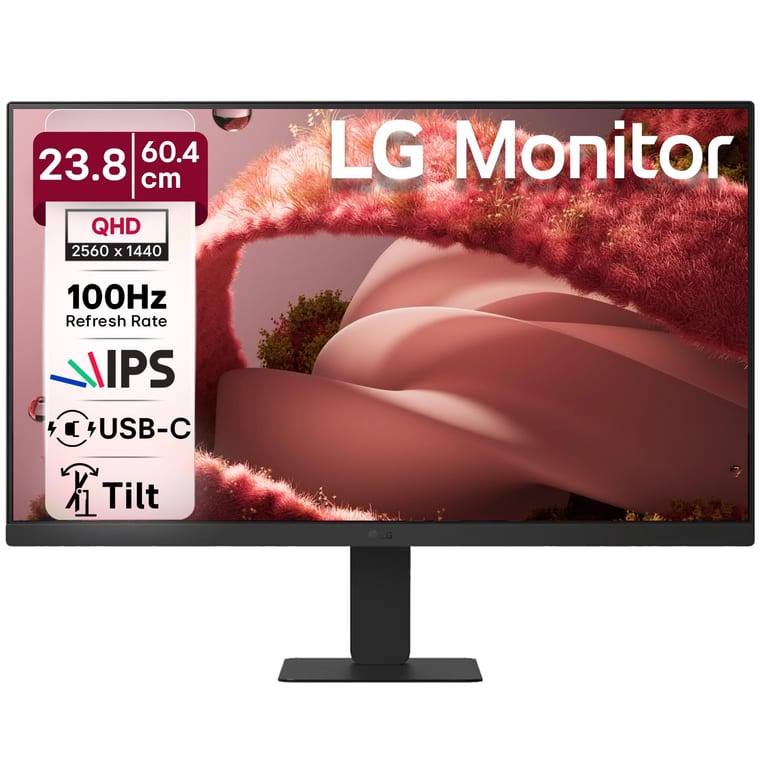
LG 24U631A
2560 x 1440 on 23.8 inches, the sharpest screen here, with USB-C video.
~₹10,999Amazon.in
Check price →Around ₹10,999, rated 4.4 by 185 buyers. It costs ₹999 more than our budget.
The LG 24U631A's 23.8-inch 2560 x 1440 IPS screen has 123.4 pixels per inch, a third more than a 24-inch Full HD screen, so text looks sharp at a normal desk distance.
LG lists 100Hz, a 5ms grey-to-grey response time, 250 nits, 99% sRGB and HDR10, but no FreeSync or G-SYNC. Inputs are one HDMI and one USB-C port. The USB-C port carries video and 15W of power, for laptops that send video over USB-C.
LG includes an HDMI cable, but the USB-C cable is sold separately. There is no DisplayPort, the stand only tilts, and the warranty is 3 years.
- Buy it if you work with text, spreadsheets, code or photos and want the sharpest screen near ₹10,000.
- Worth knowing: the USB-C port supplies only 15W, so keep your laptop's own charger connected.
Best monitor for small desks: Dell SE2225HM
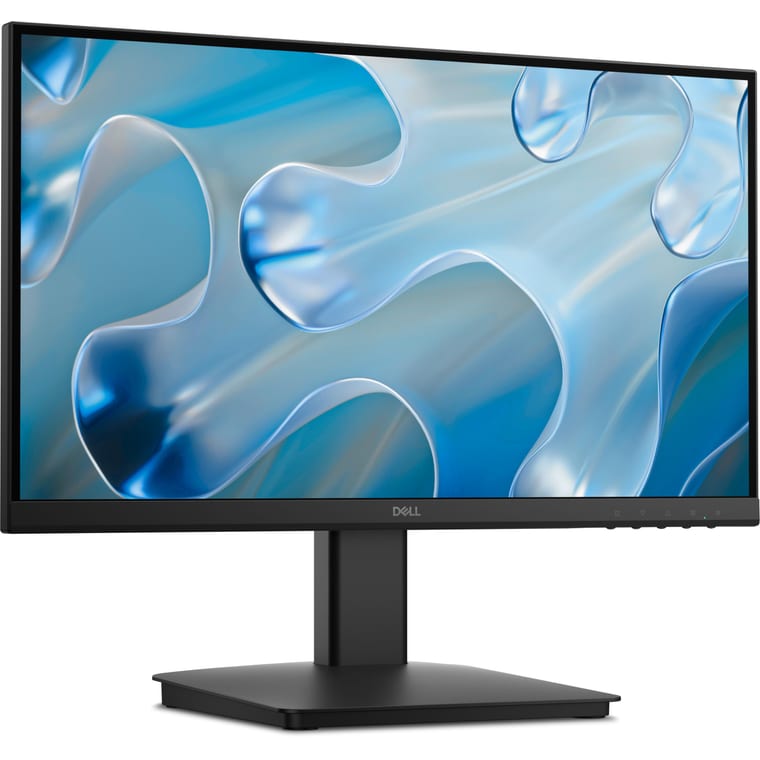
Dell SE2225HM
Compact 21.5-inch VA screen at 100Hz, rated by 2,552 buyers.
~₹6,349Amazon.in
Check price →Around ₹6,349, rated 4.4 by 2,552 buyers, the most-reviewed monitor here.
A 21.5-inch screen suits a narrow study table or a shared desk. The Dell's Full HD VA panel runs at 100Hz and has 102.5 pixels per inch, sharper than the 24-inch Full HD picks. Dell lists a 5ms grey-to-grey response time in Fast mode, 250 nits and 3,000:1 contrast, the highest contrast here.
Inputs are one HDMI 1.4 and one VGA. Amazon's title mentions DisplayPort, but Dell's spec sheet lists none. Use HDMI for 100Hz, since Dell says VGA runs at 50 to 76Hz. The power supply is built in, and an HDMI cable is in the box.
Dell lists 11.7W while running, the lowest published figure here, and does not list FreeSync or G-SYNC. The stand tilts 5 degrees forward and 21 degrees back, and the 3-year warranty includes Dell's advanced exchange service, under which Dell sends a replacement unit.
- Buy it if your desk is small, or you want a second screen for a laptop. Have a spare laptop? Read how to use a laptop as a monitor first.
- Skip it if you play games. The Acer EK240Y P6 costs ₹139 more and runs at 144Hz on a bigger IPS screen.
Can you get a 4K, 32-inch or curved monitor under ₹10,000?
Not from a major brand. Our Amazon.in searches on 29 October found no 4K or 32-inch monitor under ₹10,000 from LG, Samsung, Acer, BenQ, ASUS, MSI, Lenovo or Dell. Curved monitors at this price came only from lesser-known brands.
What to check before you buy
- Size. 21.5 to 24 inches if you sit 50 to 70 cm away, 27 inches if you can sit about 80 cm back.
- Resolution. Full HD (1920 x 1080) is standard under ₹10,000. 2K (2560 x 1440) is sharper but starts just above it.
- Refresh rate. 100Hz for work and study, 144Hz to 200Hz for games. Check your laptop's HDMI version first.
- Panel type. IPS for steady colours, VA for deeper blacks.
- Price. Full HD at 144Hz starts around ₹6,500, 180Hz to 200Hz costs around ₹8,600 to ₹10,000, and 2K starts around ₹11,000.
- Inputs. HDMI 2.0 or DisplayPort for 180Hz to 200Hz. USB-C helps only if your laptop sends video over USB-C.
- Response time and adaptive sync. For games, 1ms grey-to-grey or lower, plus FreeSync or G-SYNC Compatible.
- Stand. Only the LG 24GS65F lists height adjustment here. For the others, a VESA arm or a monitor riser lifts the screen.
- Speakers and cables. Only the Acer VG270 X1, BenQ GW2790 and Acer KA270 P6 list speakers. Every pick comes with an HDMI cable.
Which monitor under ₹10,000 should you buy?
For most people, buy the LG UltraGear 24GS65F at around ₹9,799. Its 23.8-inch Full HD IPS screen runs at 180Hz, and it is the only pick whose maker lists a height-adjustable stand.
On a tighter budget, buy the Acer EK240Y P6, a 23.8-inch Full HD IPS screen at 144Hz, for around ₹6,488. For gaming, the MSI MAG 255F E20 runs a 24.5-inch Full HD IPS screen at 200Hz for around ₹8,599.
For a sharper screen for work, stretch to the LG 24U631A, a 23.8-inch 2K IPS monitor at 100Hz for around ₹10,999.