Add TopTechs as a preferred source
The best gaming monitor for most people in India in 2026 is a 27-inch 1440p IPS panel at 180Hz or more — the LG UltraGear 27G610A-B at around ₹21,900 is the one we would buy. But the right monitor for gaming depends entirely on your budget and your graphics card, so this guide covers every bracket from ₹7,000 to ₹87,000, explains what each spec actually does, and says plainly when you do not need to spend more.
Quick answer: Under ₹10,000 → Acer EK240Y P6 (24" 1080p 144Hz). Around ₹11,000 → LG 24GS65F (24" 1080p 180Hz). Around ₹15,000 → Lenovo LOQ 27Q-10 (27" 1440p 180Hz — the value pick of the whole guide). ₹20,000–30,000 → LG 27G610A-B (27" 1440p 200Hz). ₹30,000–50,000 → Acer Nitro XV272K V5 (4K 160Hz) or AOC Q27G41ZE (1440p 240Hz). Above ₹50,000 → Samsung Odyssey G9 49".
Prices checked September 2026 on Amazon.in. Monitor prices move a lot during festival sales — tap any link for the live price.
Best gaming monitors in India: quick comparison
Every monitor here is on sale on Amazon.in and the price is what it was charging in September 2026. Tap a name for the live price.
| Monitor | Price | Best for | Size & resolution | Refresh | Panel |
|---|---|---|---|---|---|
| ~₹6,999 | Tightest budget | 23.8" 1080p | 144Hz | IPS | |
| ~₹10,699 | Best 1080p esports | 23.8" 1080p | 180Hz | IPS | |
| ~₹14,999 | Best value overall | 27" 1440p | 180Hz | IPS | |
| ~₹16,499 | Best curved | 27" 1440p | 180Hz | VA curved | |
| ~₹19,499 | Best colour under ₹20k | 27" 1440p | 180Hz | Fast IPS | |
| ~₹21,599 | Highest refresh rate | 27" 1440p | 300Hz | IPS | |
| ~₹21,900 | Best gaming monitor overall | 27" 1440p | 200Hz | IPS | |
| ~₹31,499 | Best 4K / console | 27" 4K | 160Hz | IPS | |
| ~₹31,999 | Best ultrawide | 34" WQHD | Curved | IPS | |
| ~₹43,544 | Best competitive 1440p | 27" 1440p | 240Hz | IPS | |
| ~₹44,399 | Best picture quality | 27" 1440p | 180Hz | QD-OLED | |
| ~₹86,599 | No-compromise | 49" Dual QHD | 144Hz | VA curved |
Best gaming monitor under ₹10,000
This bracket is far better than it was two years ago. You can now get a genuine 144Hz IPS panel — not a 75Hz office screen with a gaming sticker on the box. What you give up is resolution (1080p only), brightness, and a stand that adjusts.
Acer EK240Y P6 — best gaming monitor under ₹10,000
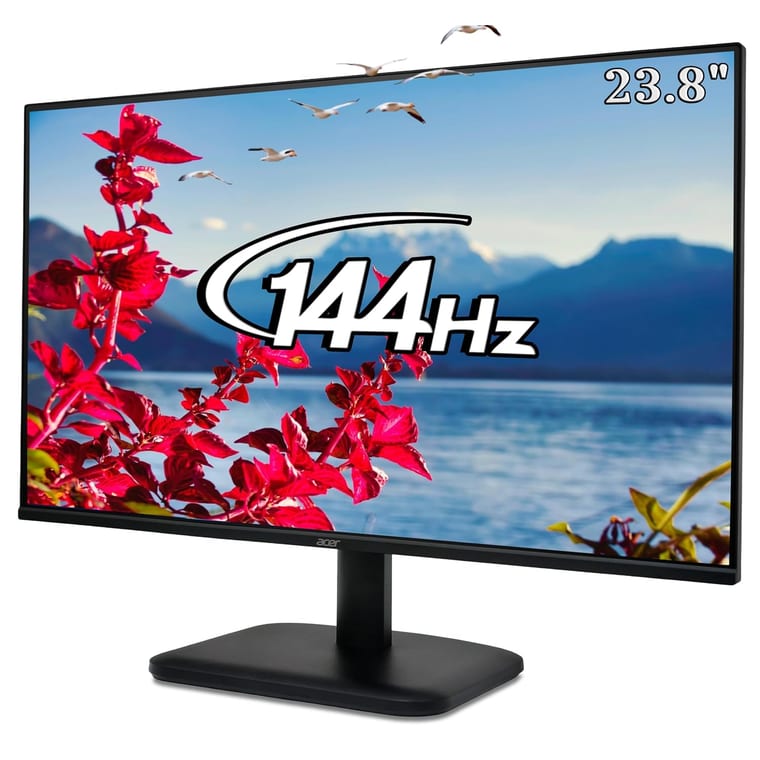
A 23.8-inch 1080p IPS panel at 144Hz for about ₹6,999, rated 4.4 from more than 950 buyers. At this price most rivals are 100Hz VA panels, so getting IPS colour and 144Hz together is the win. It has FreeSync and a 1ms VRB mode.
Buy it if: your budget is genuinely under ₹10,000 and you play competitive shooters at 1080p.
Skip it if: you can stretch to ₹11,000 — the LG below is a real step up for not much more.
Watch out: the stand tilts only, and 250 nits is dim in a sunlit room.
Best gaming monitor under ₹15,000
Two very different good buys sit here, and choosing between them tells you what you actually value: a faster 24-inch at 1080p, or a 27-inch at full 1440p for a little more.
LG UltraGear 24GS65F — best 1080p monitor under ₹15,000
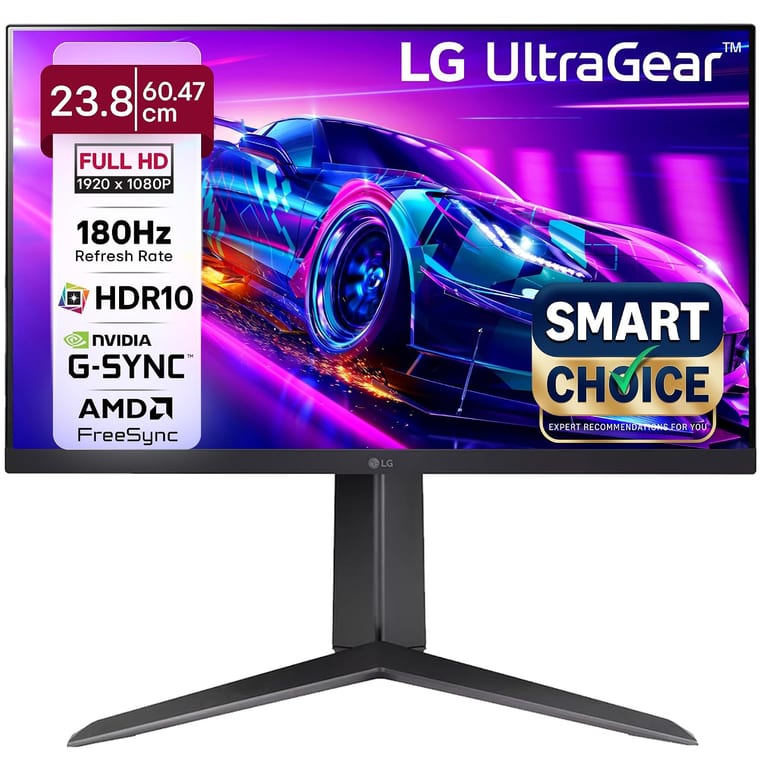
UltraGear is the most trusted gaming line in India and this is its value model: 23.8-inch 1080p IPS at 180Hz, 99% sRGB, around ₹10,699, rated 4.4 from over 700 buyers. For esports at 1080p this is the one to beat.
Buy it if: you play BGMI, Valorant or CS2 and want frames over pixels.
Lenovo LOQ 27Q-10 — best value gaming monitor in India
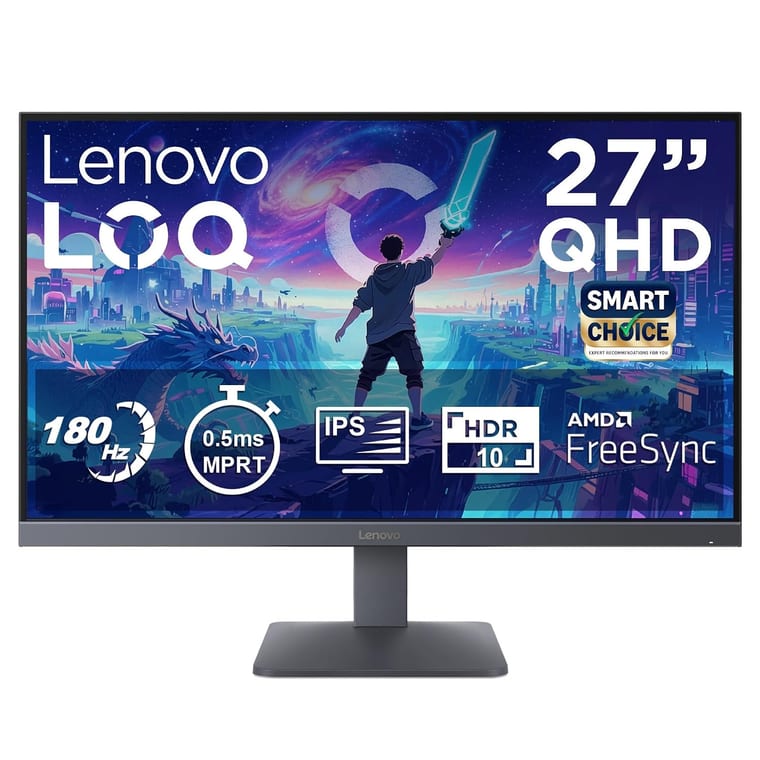
The single best-value monitor in this guide. A 27-inch 1440p IPS panel at 180Hz for about ₹14,999 — a specification that cost more than ₹25,000 two years ago. Moving from 1080p to 1440p on a 27-inch screen is a bigger visual upgrade than any refresh-rate jump you can buy.
Buy it if: you have an RTX 4060 class card or better and want the biggest real improvement per rupee.
Skip it if: your GPU is entry-level — 1440p is roughly 78% more pixels to push than 1080p.
Best gaming monitor under ₹20,000
The old advice for this bracket was to buy a very fast 1080p screen. That advice is now wrong: 1440p has dropped into this price range, and past 144Hz, resolution does more for you than extra hertz.
LG 27GS60QC — best curved gaming monitor under ₹20,000
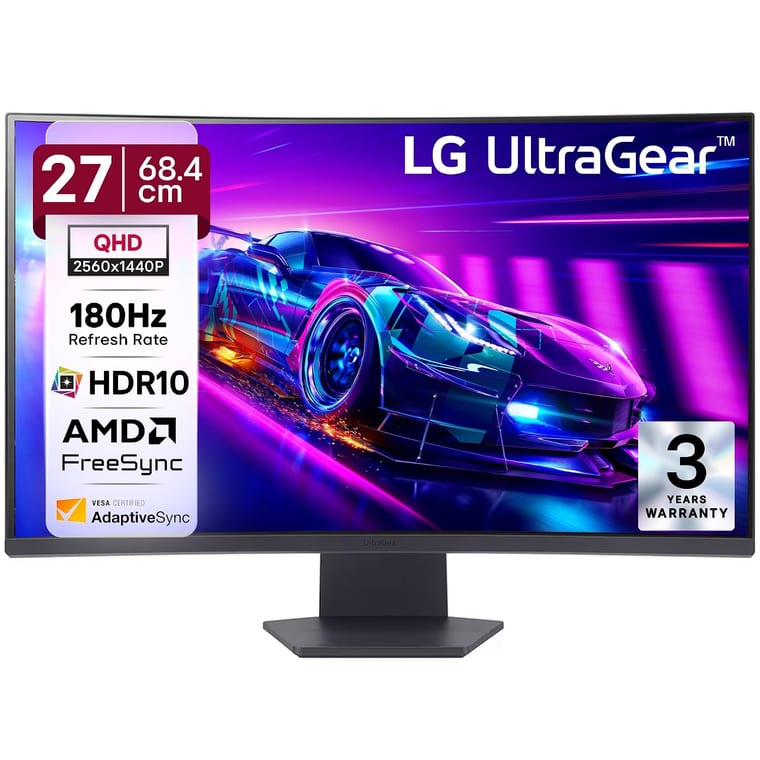
A 27-inch 1440p curved (1000R) panel at 180Hz for around ₹16,499, rated 4.2 from over 500 buyers. The aggressive curve wraps your peripheral vision and suits racing and single-player games.
Skip it if: you play competitive shooters — a curve bends straight lines, which some players dislike when tracking targets.
Samsung Odyssey G5 27-inch — best colour under ₹20,000
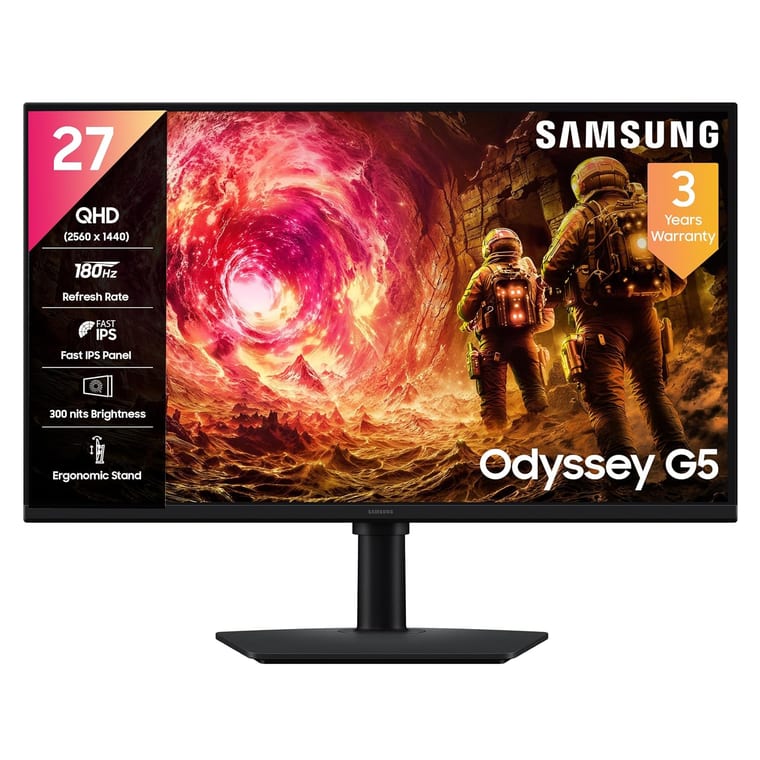
Samsung pairs a 27-inch 1440p Fast IPS panel at 180Hz with 350 nits and DisplayHDR 400 at about ₹19,499. The brightest, most colour-accurate screen in this bracket, and flat rather than curved.
Best gaming monitor under ₹30,000 — the sweet spot
If you can reach this bracket, buy here. It is the strongest part of the Indian monitor market: 27-inch, 1440p, 180Hz or faster, with proper IPS colour. Spending more brings diminishing returns until you reach OLED.
LG UltraGear 27G610A-B — best gaming monitor overall
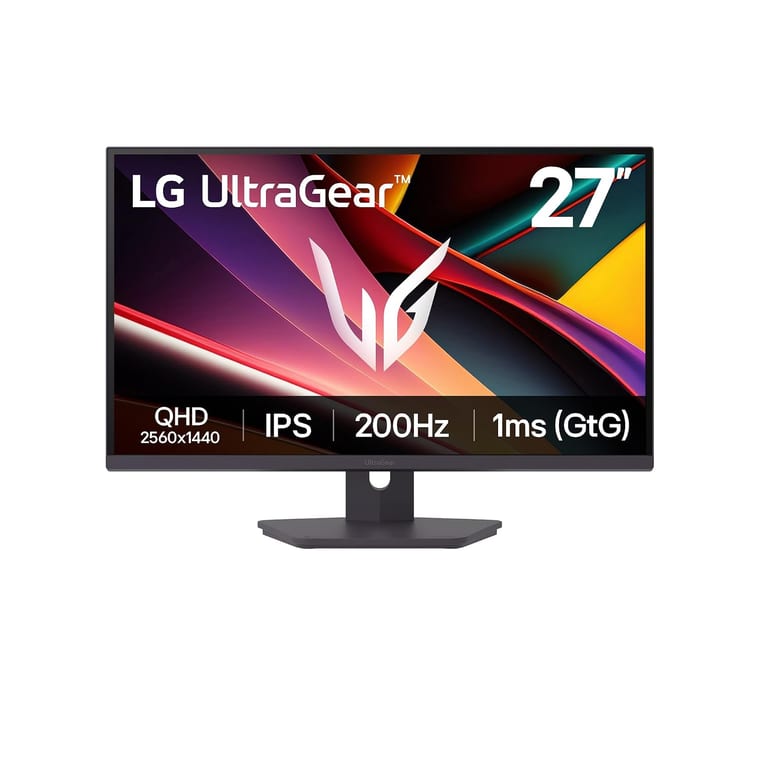
LG UltraGear 27G610A-B
~₹21,900Amazon.in
Check price →Our overall pick. A 27-inch 1440p IPS at 200Hz with 1ms GtG, 99% sRGB and DisplayHDR 400, at about ₹21,900 — and the highest rating of any monitor here at 4.6 stars. It is fast enough for competitive play, accurate enough for content work, and big enough that it feels like a genuine upgrade.
Important: the 200Hz needs DisplayPort. Its HDMI 2.0 ports cap at 144Hz, so use the DisplayPort cable or you will not get what you paid for.
Acer Nitro XV272U F3 — highest refresh rate for the money
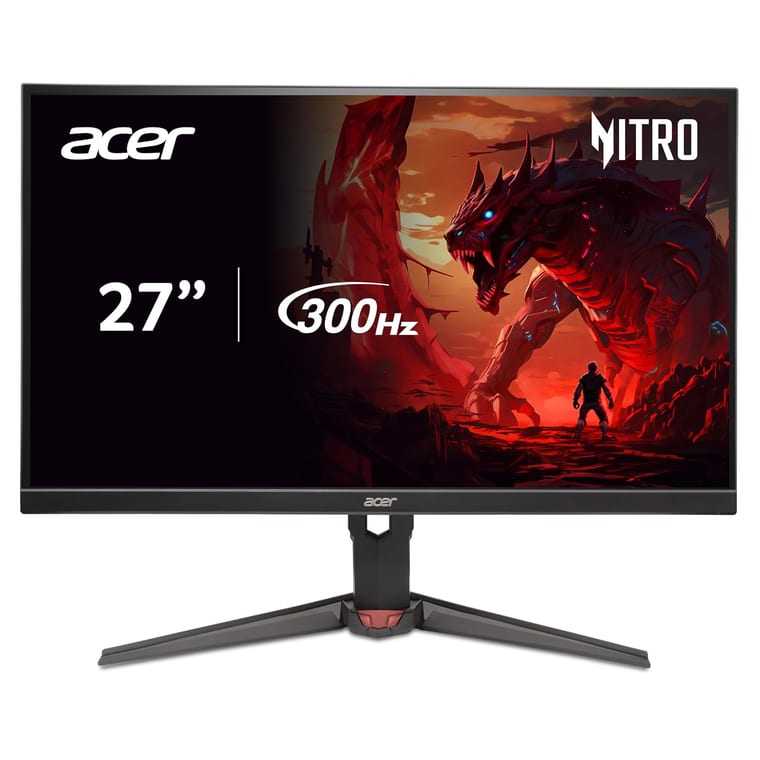
300Hz at 1440p for around ₹21,599, with a 0.5ms response. On paper it beats everything near the price. It is worth it only if you play competitive shooters seriously, because you need a powerful GPU to actually feed 300fps at 1440p.
Best gaming monitor under ₹50,000
Here you pick your upgrade: more pixels (4K), more speed (240Hz), or a better picture (OLED). You rarely get all three at this price.
Acer Nitro XV272K V5 — best 4K gaming monitor
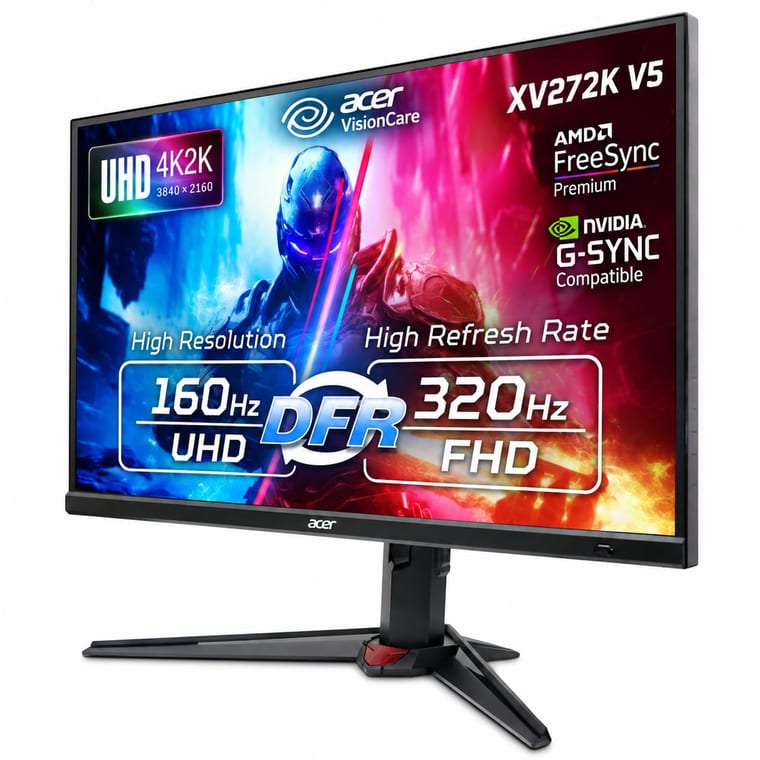
4K at 160Hz over HDMI 2.1 for about ₹31,499, with a dual-mode trick that drops to 1080p at 320Hz when you want speed instead of sharpness. 400 nits, 90% DCI-P3 and factory calibration. The most versatile monitor in this guide, and the best 4K monitor for PS5 here.
AOC Q27G41ZE — best competitive 1440p monitor
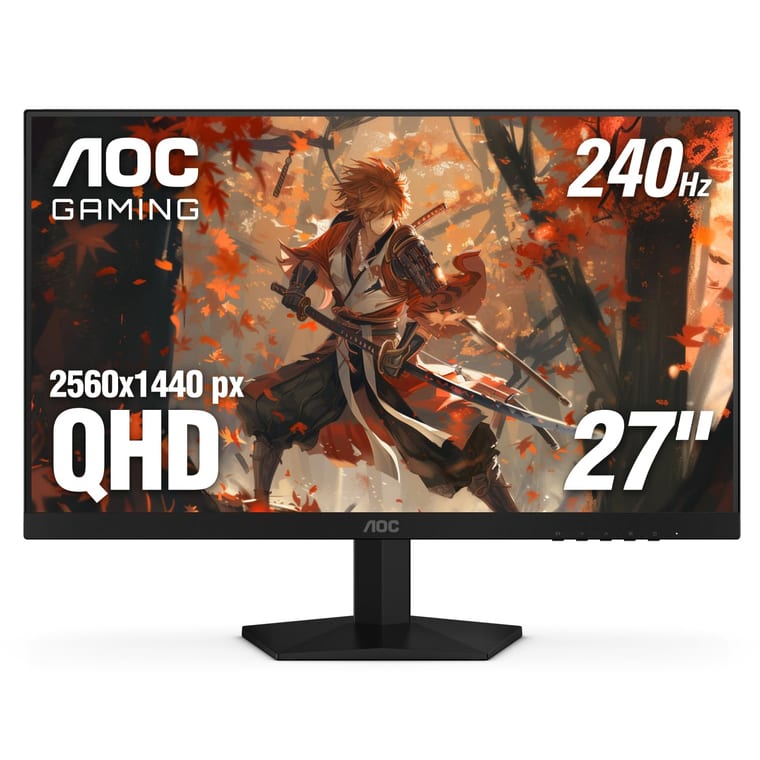
1440p at 240Hz with a 0.3ms response, around ₹43,544 and rated 4.6 from over 500 buyers. This is the specification serious competitive players want — high resolution and high refresh rate together, with no trade between them.
Samsung Odyssey QD-OLED G5 — best picture quality
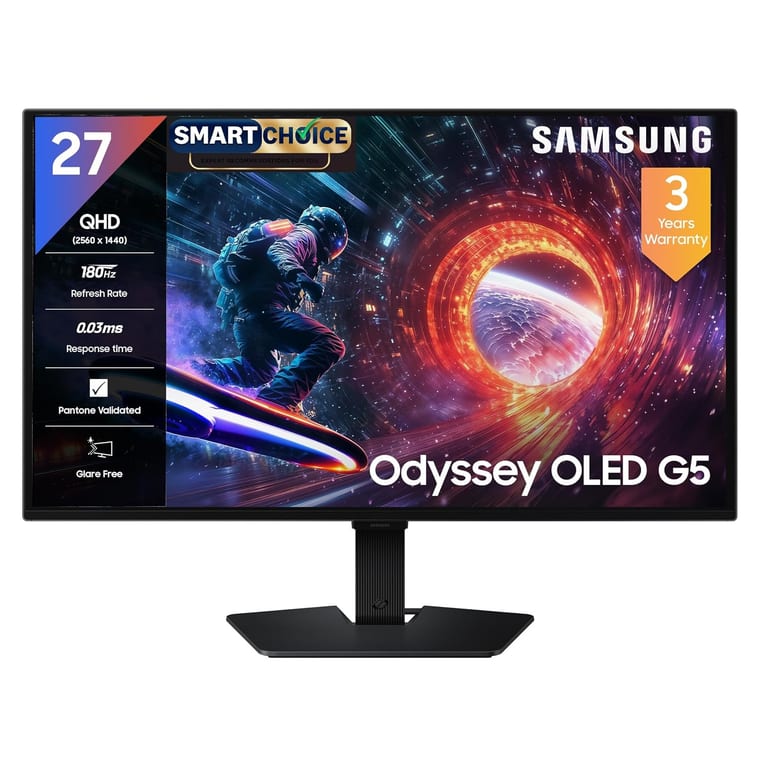
Samsung Odyssey QD-OLED G5
~₹44,399Amazon.in
Check price →Your first realistic step into OLED gaming monitor territory at about ₹44,399. Perfect blacks, a 0.03ms response and colour no IPS panel can match. QD-OLED prices have collapsed — this specification cost well over ₹70,000 two years ago.
Be aware: OLED carries a burn-in risk from static HUDs and taskbars over years, and at around 200 nits typical it is dimmer than IPS in a bright room.
Best ultrawide gaming monitor
LG 34G600A — best ultrawide for gaming
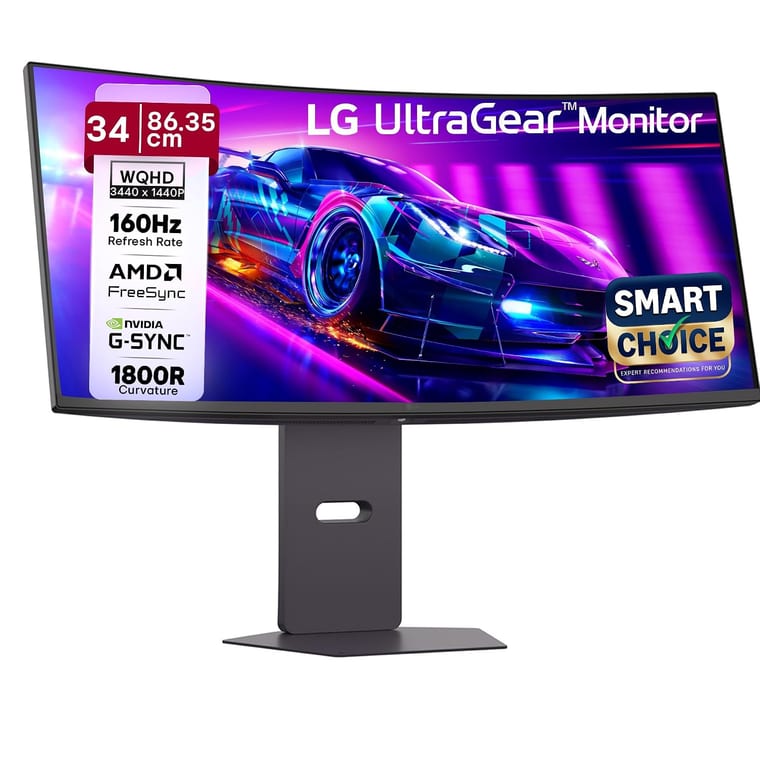
A 34-inch 3440×1440 curved (1800R) UltraGear at about ₹31,999, rated 4.5. Ultrawide is transformative in racing and flight sims, and genuinely useful for work — two documents side by side with no bezel between them.
Skip it if: you mainly play competitive shooters. Many still lack proper 21:9 support and will either stretch the image or add black bars.
Best premium gaming monitor
Samsung Odyssey G9 49-inch — no-compromise
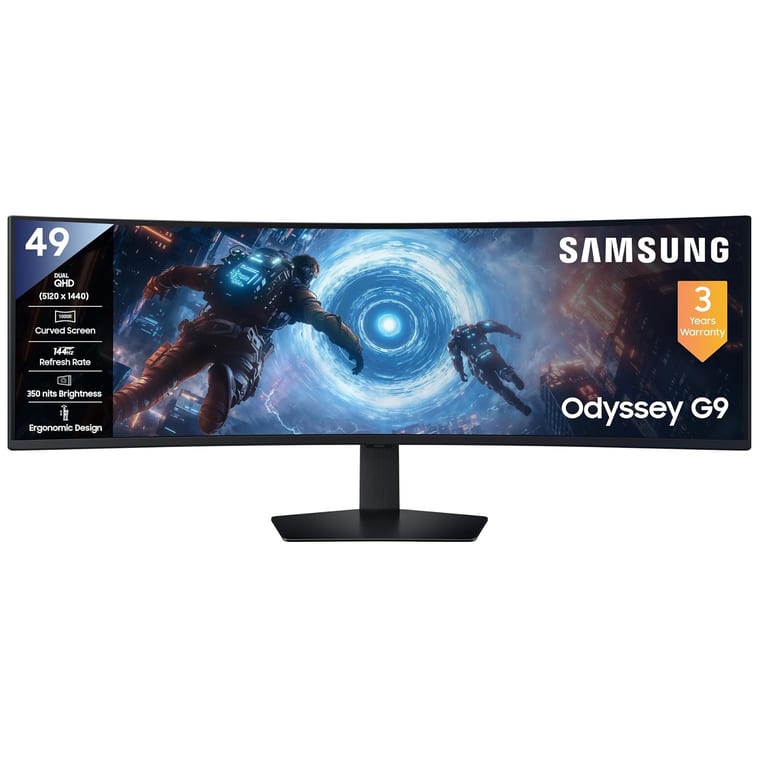
A 49-inch, 32:9 Dual QHD (5120×1440) curved screen at 144Hz for about ₹86,599 — the highest-rated monitor in this guide at 4.8 stars. It replaces a two-monitor setup with one seamless panel.
Be realistic: it needs a deep desk, a strong GPU, and a fair number of games still do not handle 32:9 properly.
Best monitor for PS5 and Xbox Series X
Console buyers need different things from PC buyers, and most monitor guides ignore that. For a PS5 or Xbox Series X you want HDMI 2.1, 120Hz support and VRR — and you should know that the PS5 does not output 1440p at 120Hz cleanly on every display. A 4K 120Hz monitor over HDMI 2.1 is the safe choice.
- HDMI 2.1 is the one that matters. HDMI 2.0 cannot carry 4K at 120Hz. If a monitor lists only HDMI 2.0, your console is capped at 4K 60Hz.
- Both consoles top out at 120fps, so a 240Hz monitor gives a console nothing. Do not pay for refresh rate you cannot use.
- VRR (variable refresh rate) is supported on both PS5 and Series X and genuinely smooths uneven frame rates. Any FreeSync monitor here supports it.
- Size: 27 inch is the practical limit at a desk. On a 27-inch screen 4K looks superb but text is small — fine for gaming, less so as a work monitor.
Our pick for consoles: the Acer Nitro XV272K V5 — 4K, 160Hz, HDMI 2.1, around ₹31,499. It gives the console everything it can use and leaves headroom if you later plug in a PC.
How to choose: the specs that actually matter
Bought your monitor already? Everything below explains the numbers on the box — what refresh rate really does, which resolution suits which screen size, and why the "1ms" claim is usually marketing. Read it before you spend if you are still deciding.
Refresh rate explained: what 60Hz, 144Hz and 240Hz actually mean
Refresh rate is how many times per second your screen redraws the image, measured in hertz. A 60Hz monitor shows 60 new images a second; a 144Hz monitor shows 144. Higher means smoother motion and less blur when you flick the camera. For gaming, 144Hz is the point where the upgrade is obvious — past 240Hz, most players genuinely cannot tell.
Here is what each step up feels like in practice:
- 60Hz — fine for office work and slow games. In a shooter it feels sluggish once you have used anything faster.
- 100–120Hz — the jump from 60Hz is the biggest single improvement you will ever notice. A 120Hz refresh rate is enough for most people.
- 144Hz — the mainstream gaming standard, and the sweet spot for value in India.
- 180–200Hz — a small but real step up. Costs almost nothing extra in 2026, so take it if it is there.
- 240Hz and above — for competitive players in BGMI, Valorant and CS2 who are chasing every millisecond. Everyone else is paying for a number.
The catch nobody mentions: your graphics card has to actually produce those frames. A 240Hz monitor fed 70fps behaves like a 70Hz monitor. Match the computer monitor refresh rate to what your GPU can push in the games you actually play — not to the biggest number on the box.
And check the port. Several monitors here only reach their full refresh rate over DisplayPort; their HDMI 2.0 ports cap out lower. The LG 27G610A-B does 200Hz on DisplayPort but 144Hz over HDMI. If you only use the bundled HDMI cable, you may never see the speed you paid for.
Resolution and screen size: 1080p, 1440p or 4K?
Resolution is how many pixels make up the image; size is how far they are spread. Get the pairing wrong and a good panel looks bad. For gaming in 2026: 1080p suits 24 inches, 1440p suits 27 inches, and 4K suits 32 inches or a console. The mistake to avoid is stretching a low resolution across a big screen.
| Resolution | Best screen size | GPU you need | Who it is for |
|---|---|---|---|
| 1080p (1920×1080) | 22–24 inch | RTX 3050 / RX 6600 and up | Budget builds, competitive esports |
| 1440p / 2K (2560×1440) | 27 inch | RTX 4060 / RX 7600 and up | Most gamers — the sweet spot |
| 4K (3840×2160) | 27–32 inch | RTX 4070 Ti / RX 7800 XT and up | Single-player showcase games, PS5 |
| WQHD ultrawide (3440×1440) | 34 inch | RTX 4060 Ti and up | Racing, flight sims, productivity |
About the 1080p 27 inch monitor. It is cheap and it is tempting, and we would still avoid it. Spreading 1080p across 27 inches drops you to roughly 82 pixels per inch, so text edges look soft and you can pick out individual pixels at a normal desk distance. A 24-inch 1080p screen packs the same pixels into less space and looks noticeably sharper. If you want 27 inches, go 1440p — and in 2026 that costs about ₹15,000, which it did not two years ago.
Panel types: IPS vs VA vs TN vs OLED
The panel decides colour, contrast and viewing angles — it matters more to how a monitor looks than the refresh rate does. For gaming, buy IPS. It gives accurate colour and wide viewing angles with response times that are now fast enough for competitive play. VA has deeper blacks but smears in dark scenes; TN is fast and ugly; OLED is the best picture you can buy and carries a burn-in risk.
- IPS — best all-rounder. Accurate colour, great viewing angles, 1ms class response on modern "Fast IPS" panels. Weakness: blacks look grey in a dark room. Nearly every monitor in this guide is IPS, and that is deliberate.
- VA — much better contrast, so night scenes and horror games look richer. Weakness: black smear, a faint trail behind fast-moving dark objects. Good for single-player and cinema, weaker for competitive shooters.
- TN — the old speed king. Cheap and very fast, but washed-out colour and poor viewing angles. In 2026 Fast IPS has caught up, so there is little reason to choose TN.
- OLED / QD-OLED — every pixel makes its own light, so blacks are truly black and response is near-instant (0.03ms). Stunning. Two honest caveats: static elements like HUDs and taskbars carry a burn-in risk over years, and OLED is dimmer in a bright room than a good IPS.
Our advice: IPS for almost everyone. VA if you game in a dark room and mostly play single-player. OLED only if you have ₹40,000+ and will vary what is on screen.
Response time and input lag — and why "1ms" is marketing
Response time is how fast a pixel changes colour, measured in milliseconds. Lower means less motion blur. But the "1ms" on the box is almost always 1ms MPRT or 1ms VRB, measured with backlight strobing switched on — not the GtG (grey-to-grey) figure that describes normal use. Treat any advertised 1ms with suspicion.
What actually matters:
- Anything at or under 5ms GtG is fine for the vast majority of players. The difference between 1ms and 4ms is far smaller than the marketing suggests.
- Overdrive speeds pixels up but pushed too far creates inverse ghosting — a bright halo trailing moving objects. Medium is usually the correct setting, not Extreme.
- Input lag is a different thing and matters more. It is the delay between your mouse moving and the screen reacting. A monitor can have a fast response time and still feel laggy.
If a monitor advertises "1ms" and lists no GtG number anywhere, assume the real figure is around 4–5ms. That is still perfectly good.
G-Sync vs FreeSync: do you need it?
Adaptive sync makes the monitor refresh in step with your graphics card instead of on a fixed clock. It removes screen tearing — the horizontal split you see when a frame arrives mid-refresh — without the input lag that V-Sync adds. AMD calls it FreeSync, NVIDIA calls it G-Sync, and in 2026 nearly every gaming monitor supports one or both.
- FreeSync is an open standard and free for manufacturers to include. It works on AMD cards and, since 2019, on NVIDIA cards too.
- G-Sync Compatible means NVIDIA has tested a FreeSync monitor and certified it works properly. This is what most monitors here are.
- Native G-Sync uses a dedicated hardware module. It performs marginally better at very low frame rates and costs noticeably more. Almost nobody needs it.
Do not pay extra for it. Adaptive sync is standard now — every monitor recommended in this guide has it. Just make sure it is switched on in your GPU control panel, because it often is not by default.
Mistakes people make buying a gaming monitor
- Buying refresh rate your GPU cannot feed. A 240Hz monitor with a card that manages 70fps behaves like a 70Hz monitor. Spend the money on the graphics card first.
- Choosing 1080p on a 27-inch screen because it is cheap. It looks soft. Either drop to 24 inches or step up to 1440p.
- Believing the 1ms claim. It is nearly always MPRT or VRB with strobing on, not the GtG figure that describes real use.
- Buying curved for competitive shooters. A curve is lovely for racing and immersion, and a distraction when you are tracking targets along straight lines.
- Using the bundled HDMI cable and never seeing the advertised speed. Several monitors need DisplayPort for their top refresh rate.
- Paying extra for native G-Sync. Adaptive sync is standard now; the certified-compatible version does the same job for most people.
- Ignoring the stand. Cheap monitors tilt only. If the screen sits too low you will feel it in your neck within a week — check for VESA mounting if nothing else.
Frequently asked questions
Is 144Hz enough for gaming in 2026?
Yes. 144Hz is still the sweet spot for the vast majority of players, and the jump from 60Hz to 144Hz is far more noticeable than the jump from 144Hz to 240Hz. Buy higher only if you play competitive shooters and have the graphics card to produce those frame rates.
Is 1440p or 1080p better for gaming?
1440p on a 27-inch screen is the better experience if your graphics card can drive it — roughly an RTX 4060 or better. 1080p on a 24-inch screen remains the right call for budget builds and for competitive players chasing maximum frame rates.
Which monitor is best for BGMI and Valorant?
A 24-inch 1080p panel at 180Hz or more, because both games reward high frame rates over high resolution. The LG UltraGear 24GS65F at around ₹10,699 is the value choice; the AOC Q27G41ZE at 1440p 240Hz is the no-compromise one.
Do I need a curved monitor for gaming?
No. A curve helps immersion in racing, flight and single-player games, especially at 32 inches and above. On a 27-inch screen the benefit is small, and competitive shooter players often prefer flat panels because a curve bends straight lines.
Is OLED worth it for a gaming monitor?
If your budget reaches about ₹44,000 and you mostly play single-player games in a room that is not very bright, yes — the contrast and response time are a clear step beyond IPS. If you leave static HUDs or a desktop taskbar on screen for hours every day, stay with IPS and avoid the burn-in risk.
What size gaming monitor should I buy?
24 inches for 1080p and competitive play, 27 inches for 1440p and most people, 32 inches for 4K or if your desk is deep. At a normal desk distance of 60–80cm, a 27-inch 1440p screen is the most comfortable balance of detail and field of view.
The bottom line
For most people the LG UltraGear 27G610A-B at around ₹21,900 is the best gaming monitor in India right now — 27 inches, 1440p, 200Hz, and the best-rated screen in this guide. If your budget is tighter, the Lenovo LOQ 27Q-10 at about ₹14,999 gives you the same size and resolution for a third less, and is the best-value buy on this page. Under ₹10,000, the Acer EK240Y P6 does the job honestly.
Whatever you choose, get the pairing right first: 1080p at 24 inches, 1440p at 27 inches, at least 144Hz, an IPS panel, and a graphics card that can actually feed it. Those four decisions matter far more than any single number on the box.
Setting up the rest of the desk? See our guide to setting up dual monitors, our picks for the best wireless mouse and the best budget mechanical keyboards. If you are still choosing the PC itself, read our best gaming laptops guide, and test any new screen with our free dead pixel test and refresh rate test.