Add TopTechs as a preferred source
The best wireless mouse for most people is the Logitech MX Master 3S. It is sculpted, quiet and endlessly customisable, with roughly 70 days of battery and a scroll wheel that spins freely through long documents.
If your wrist aches by the afternoon, buy a vertical mouse instead — the MX Vertical for large hands, the Logitech Lift for smaller ones.
Below are the six that actually earn desk space in 2026, what each one is for, and how to choose without overspending.
Quick answer
- Best overallLogitech MX Master 3S
- Best for wrist pain, large handsLogitech MX Vertical
- Best vertical, small to medium handsLogitech Lift
- Best budgetLogitech M720 Triathlon
- Best for gamingLogitech G Pro X Superlight 2
- Best for travelLogitech Pebble 2
Quick comparison
| Mouse | Best for | Shape | Battery | Multi-device |
|---|---|---|---|---|
| MX Master 3S | Overall / all-day work | Sculpted right-hand | ~70 days | 3 devices |
| MX Vertical | Wrist & forearm pain | Vertical 57° | ~4 months | 3 devices |
| Logitech Lift | Vertical, smaller hands | Vertical 57° | ~2 years (AA) | 3 devices |
| M720 Triathlon | Budget workhorse | Standard right-hand | ~2 years (AA) | 3 devices |
| G Pro X Superlight 2 | Gaming | Light ambidextrous | ~95 hours | No |
| Pebble 2 | Travel & laptop bags | Slim, flat | ~2 years (AA) | 3 devices |
1. Logitech MX Master 3S — best wireless mouse overall
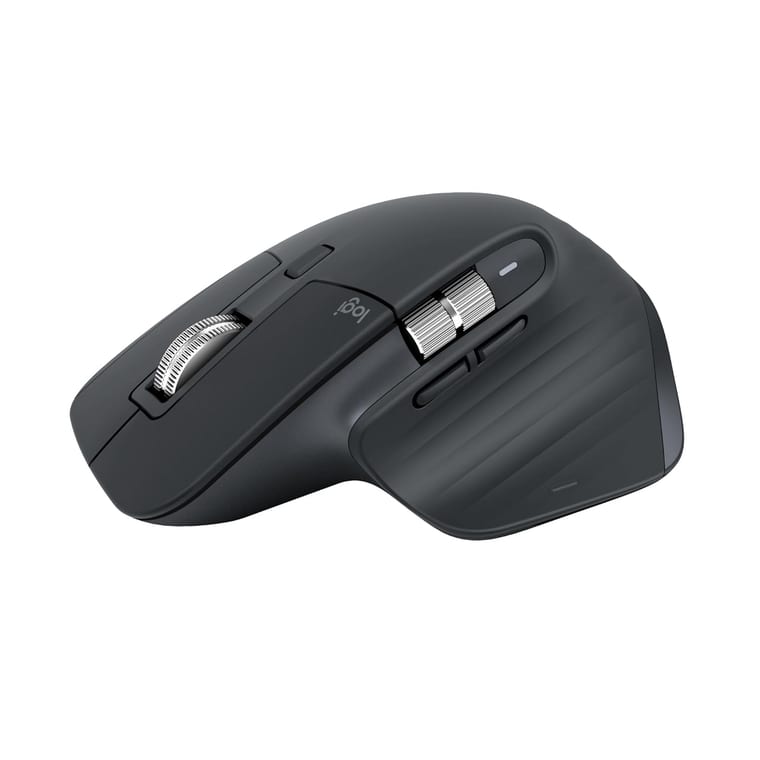
This is the mouse to buy if you spend your working day at a computer.
The sculpted body puts your hand in a relaxed, slightly angled rest position. The twin scroll wheels — one on top, one for the thumb — make long documents and wide spreadsheets far less tedious.
Two changes over the older MX Master 3 matter in daily use. The sensor now reaches 8,000 DPI, double the previous 4,000, so it tracks properly on 4K screens and glass.
And the main clicks are quiet, around 90% less click noise. If you share a room or take a lot of calls, that alone is worth the upgrade.
The headline feature is the MagSpeed electromagnetic scroll wheel. Flick it hard and it releases into free-spin, coasting through a thousand-row spreadsheet in one gesture, then ratchets again when you slow down.
Add per-app button customisation through Logi Options+, three paired devices on a button-press, and flow between two computers, and it stops feeling like an accessory.
- Buy it if you work six or more hours a day at a desk, especially in spreadsheets, code or design tools.
- Skip it if you are left-handed (it is right-hand only), or you mainly game — it is too heavy for that.
2. Logitech MX Vertical — best for wrist and forearm pain
A vertical mouse holds your hand in a "handshake" position at a 57° angle, instead of twisting your forearm flat.
That is not marketing. It is the reason people with RSI and forearm strain switch and do not go back. Logitech's own testing reports meaningfully reduced muscular strain against a standard mouse.
The MX Vertical suits medium to large hands, charges over USB-C, runs about four months per charge, and pairs with three devices.
Expect two or three days of feeling clumsy while your muscle memory adjusts. That is normal, and it passes.
- Buy it if your wrist or forearm aches after a working day.
- Skip it if you have small hands — get the Lift instead — or you need precision for design work, where the vertical grip is slower.
- India availability: as of August 2026 it is hard to source here. It is not listed on Amazon.in or Flipkart, and Logitech India no longer shows a product page. The Logitech Lift below is the practical buy, and for most hand sizes it is the better mouse anyway.
3. Logitech Lift — best vertical mouse for small and medium hands
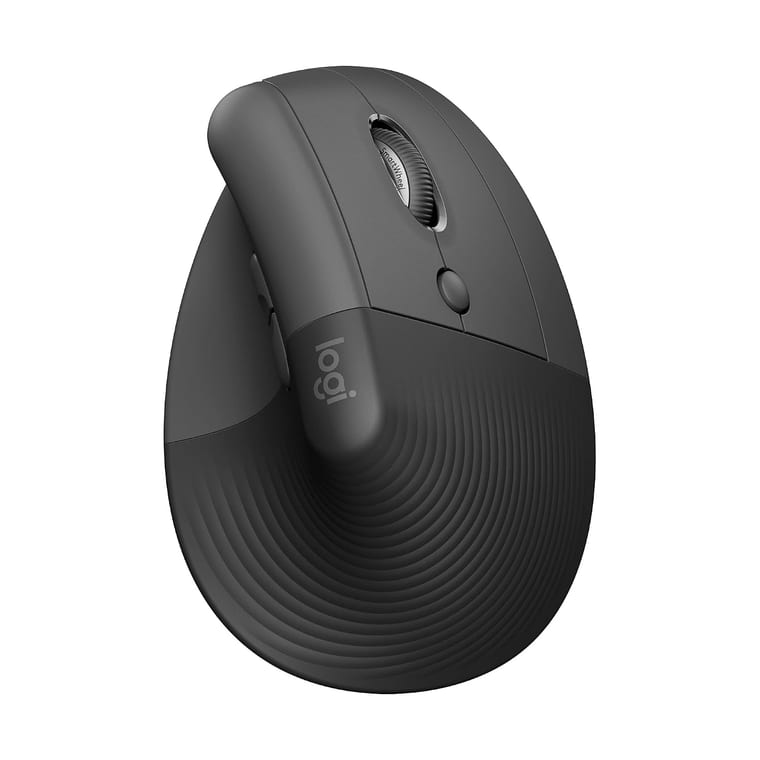
The Lift is the MX Vertical's smaller sibling, and for a lot of people the better buy.
Same 57° vertical angle and the same ergonomic argument, shrunk to fit small and medium hands, priced well below the MX Vertical, and running about two years on a single AA battery. It also comes in a genuine left-handed version, which is rare.
- Buy it if you want the vertical benefits without the MX Vertical's size or price.
- Skip it if you have large hands. It will feel cramped.
4. Logitech M720 Triathlon — best budget wireless mouse
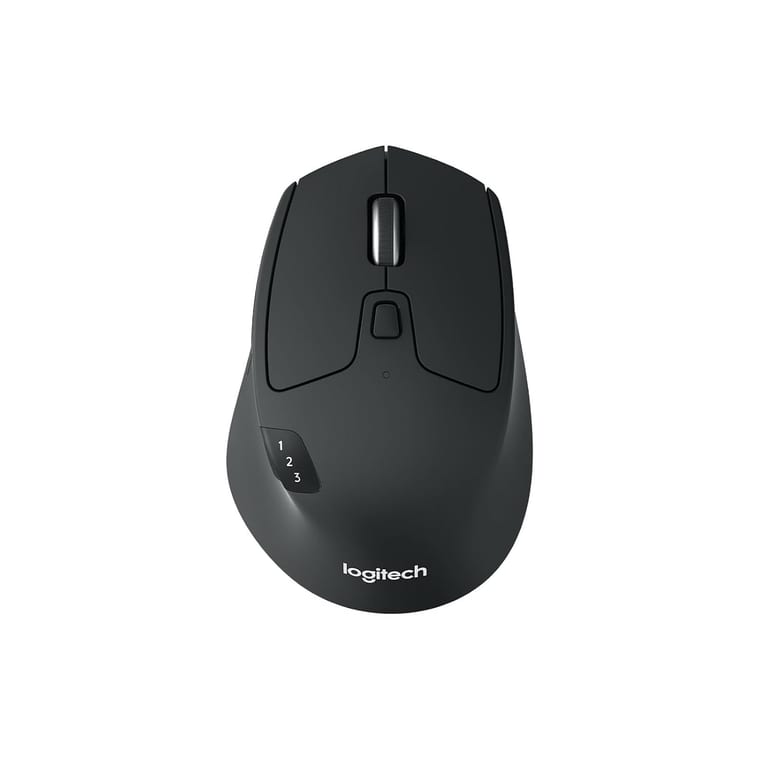
Logitech M720 Triathlon
~₹5,495Amazon.in
Check price →The sensible-money pick. You get the comfortable right-hand shape, a free-spin scroll wheel, three-device switching, and roughly two years on one AA battery — for a fraction of the MX Master's price.
What you do not get: the quiet clicks, the thumb wheel, the high-DPI sensor, and the fit and finish.
- Buy it if you want most of the useful features and none of the premium price.
5. Logitech G Pro X Superlight 2 — best for gaming
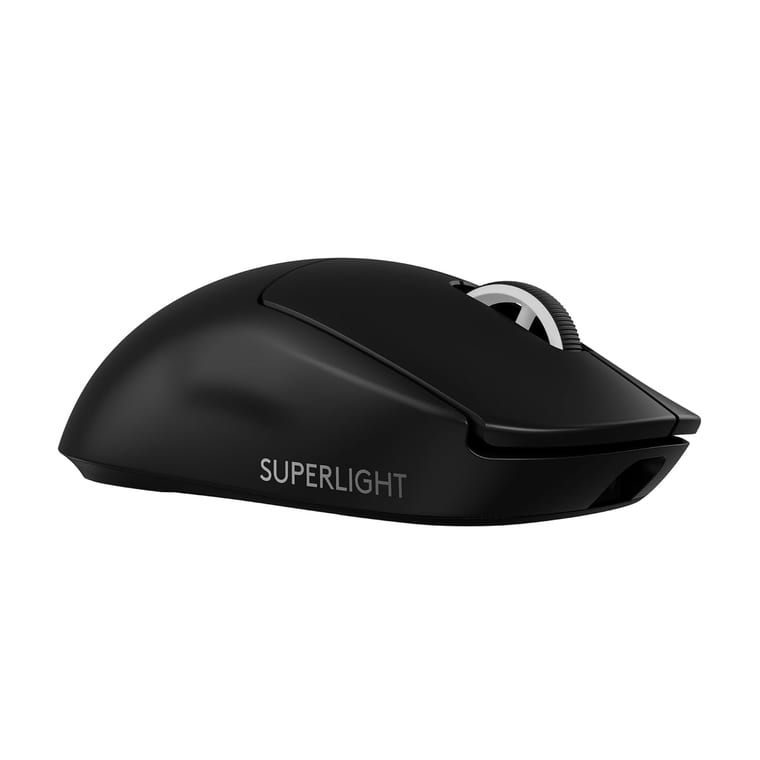
Productivity mice are heavy, which is fine for documents. For games it is the opposite of what you want.
The Superlight 2 is built around being light and fast: a low weight, a high-performance sensor, and around 95 hours per charge. The shape is plain and ambidextrous with almost no extra buttons, because that is the point.
- Buy it if you play shooters and want the mouse to disappear.
- Skip it if you want side wheels and app-specific macros. That is the MX Master's territory.
6. Logitech Pebble 2 — best for travel
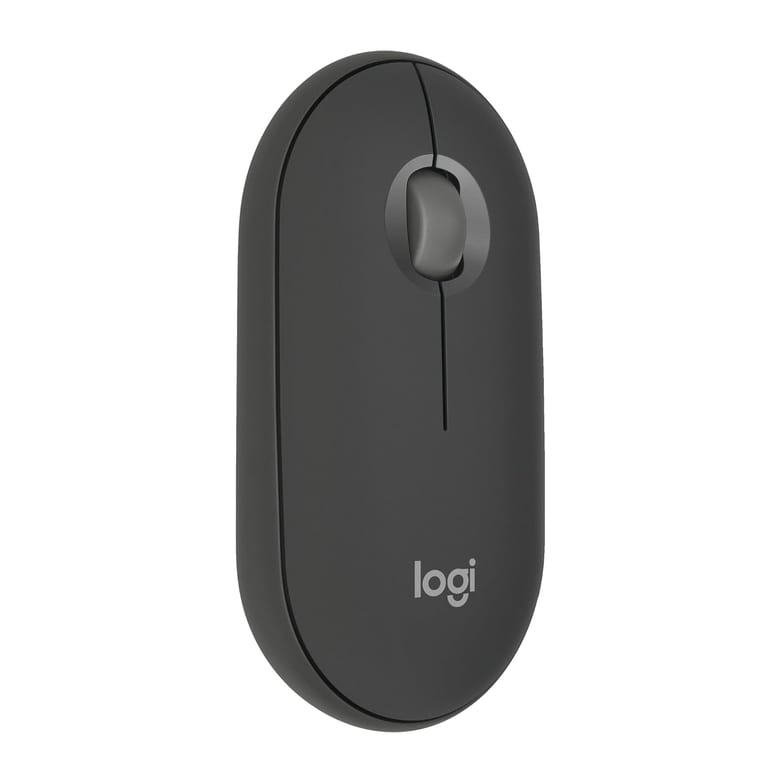
Slim, flat, near-silent, and light enough to forget in a laptop sleeve. It runs about two years on an AA, connects over Bluetooth to three devices, and costs very little.
It is not comfortable for an eight-hour day, because the low profile flattens your hand. For a laptop bag it is ideal.
How to choose a wireless mouse
- Match the shape to your hand size first. Comfort beats every spec on this page. Large hands want the MX Master 3S or MX Vertical; small hands want the Lift or Pebble.
- Bluetooth or dongle? Bluetooth keeps your USB ports free and works with tablets. A USB receiver is more reliable and lower latency, which is why gaming mice still use one. The best mice offer both.
- Multi-device switching is the underrated feature. If you use a work laptop and a personal machine, one button moving the mouse between them saves real friction.
- Rechargeable vs AA. Rechargeable (USB-C) means no batteries to buy. AA models run for a year or two and never need a cable. Neither is wrong.
- DPI is oversold. Anything above 1,000 DPI is fine for office work. It only matters for high-resolution screens and gaming.
- Quiet clicks matter more than people expect in shared rooms and on calls.
Do vertical mice actually help?
If you have wrist or forearm discomfort, yes. The neutral handshake position removes the forearm rotation that a flat mouse forces.
Two honest caveats. There is an adjustment period of a few days. And a mouse alone will not fix a bad desk height or a keyboard that sits too far away.
If the pain is persistent, see a professional rather than shopping for hardware.
Bottom line
For most people the Logitech MX Master 3S is the best wireless mouse you can buy: comfortable, quiet, and full of features you will actually use every day.
If your wrist hurts, go vertical — the MX Vertical for larger hands, the Logitech Lift for smaller ones. On a budget, the M720 Triathlon gets you most of the way for far less.
Building out the rest of the desk? Our picks for the best budget mechanical keyboards for typing pair well with any of these, and if you are adding screens, here is how to set up dual monitors.